

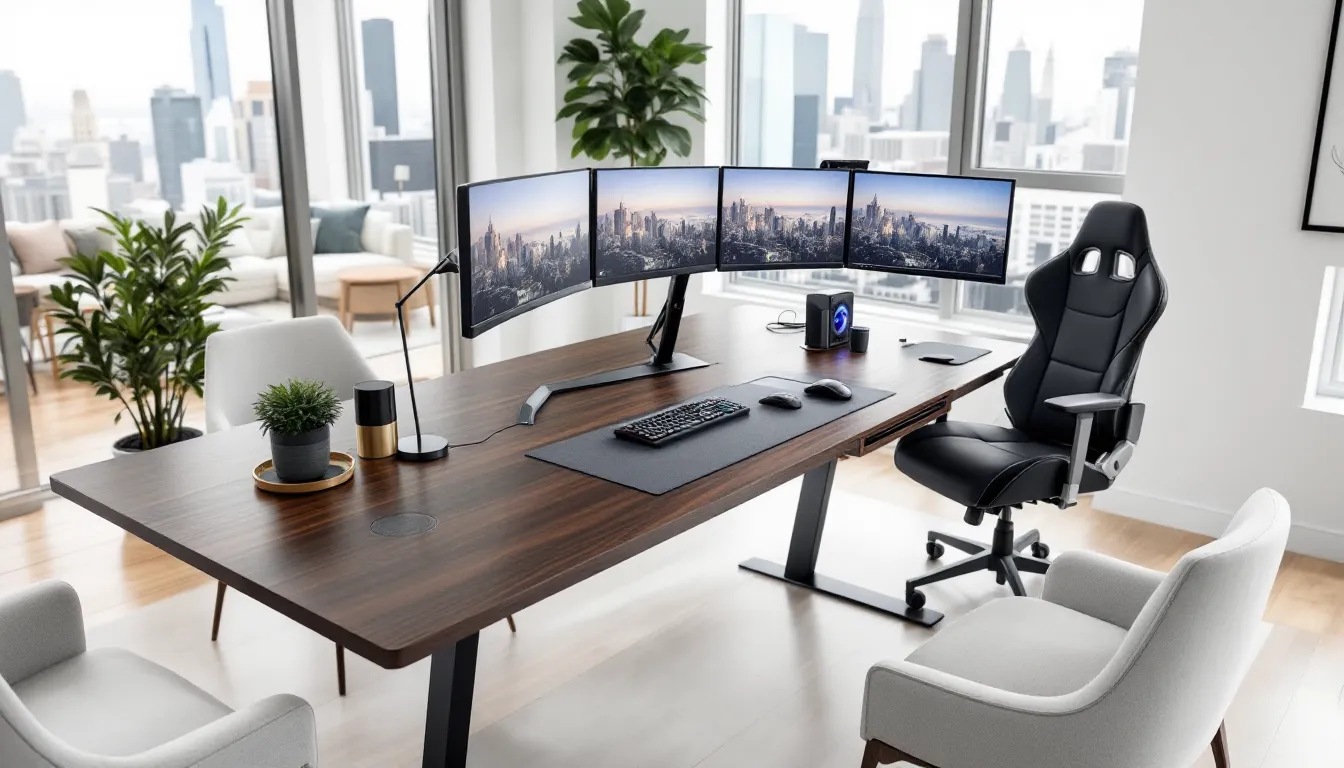
Gaming Dining Tables: The Ultimate Guide to Combining Gameplay and Daily Living in 2026
Space is the final boss for most gamers. Whether you’re cramming a setup into a studio apartment or fighting for territory in a shared house, the battle for square footage is real. Enter the gaming dining table, a hybrid solution that’s been gaining serious traction in 2026. These aren’t your grandma’s dinner tables with a laptop thrown on top. We’re talking purpose-built furniture designed to handle marathon gaming sessions and family dinners without compromise.
The concept’s simple: one high-quality table that serves double duty. But execution? That’s where things get interesting. With the right features, cable management, ergonomic design, integrated power, these tables eliminate the need for separate gaming desks and dining setups. For gamers tired of choosing between a proper battlestation and a functional living space, this guide breaks down everything you need to know about gaming dining tables in 2026.
Key Takeaways
- A gaming dining table combines dual functionality, collapsing the space and cost of separate gaming desks and dining tables into one multipurpose furniture piece priced between $400–$1,500.
- Essential features for gaming dining tables include integrated cable management systems, reinforced surfaces rated for 300+ pounds, proper ergonomic height (29–30 inches), and built-in power outlets to eliminate cord clutter.
- Quality materials like solid wood, engineered wood with scratch-resistant finishes, and steel or aluminum frames ensure durability across both gaming sessions and daily dining use.
- Monitor placement strategies and efficient mode-switching routines—accomplished in under 5 minutes—transform a gaming dining table from a concept into a practical, living-space solution.
- Common pitfalls include undersizing (minimum 60×30 inches), neglecting cable management during purchase, ignoring structural integrity, and overlooking ergonomic compatibility with existing chairs.
What Is a Gaming Dining Table?
A gaming dining table is a dual-purpose piece of furniture engineered to function as both a gaming workspace and a traditional dining table. Unlike standard dining tables, these are built with gaming-specific features like reinforced surfaces for monitor mounts, integrated cable routing channels, and materials that can handle both the weight of multi-monitor setups and the wear of daily meals.
The distinction matters because most regular dining tables fail under gaming loads. A typical dining table might handle a laptop, but add three 27-inch monitors, a PC tower, and a dual-arm mount? That’s asking for warped surfaces and stability issues. Gaming dining tables use thicker tabletops (usually 1.5-2 inches), steel or aluminum frames, and weight capacities ranging from 200-400 pounds depending on the model.
These tables typically measure 60-72 inches in length and 30-36 inches in depth, large enough for 4-6 people during meals, spacious enough for expansive gaming setups. The key differentiator is versatility without sacrifice. You’re not compromising gaming performance for dining functionality or vice versa.
Why Gamers Are Investing in Dual-Purpose Gaming Dining Tables
Space Optimization for Apartment and Home Gamers
Urban living means square footage costs a premium. A dedicated gaming room? That’s luxury territory for most gamers in 2026. Gaming dining tables solve the spatial equation by collapsing two major furniture pieces into one footprint. Instead of a 60-inch gaming desk and a separate dining table eating up 120+ inches of linear wall space, you’re working with a single surface.
This matters especially for apartment gamers. A studio or one-bedroom doesn’t have room for both a proper gaming setup and a place to eat that isn’t your couch. The dual-purpose approach means you can maintain a legitimate gaming environment without turning your living space into a hardware warehouse.
The psychological benefit is underrated too. Having a clean, multipurpose space beats the cluttered chaos of trying to squeeze dedicated furniture into rooms that can’t handle it. You’re not constantly moving stuff around or feeling like your gaming hobby is overtaking your actual home.
Cost-Effectiveness Compared to Separate Setups
Let’s talk numbers. A quality gaming desk runs $300-800. A decent dining table for four? Another $400-1,000. You’re looking at $700-1,800 minimum for separate setups, not counting the space they demand.
Gaming dining tables range from $400 for budget models to $1,500+ for premium options. Even at the high end, you’re saving money compared to buying both pieces separately. Plus, you’re avoiding the hidden costs of trying to make inadequate furniture work, replacement costs when that $150 IKEA desk collapses under monitor weight, or the chiropractor bills from hunching over a coffee table for six months.
There’s also long-term value. High-quality gaming dining tables use materials built to last, solid wood or reinforced composites, commercial-grade hardware, and finishes that resist both gaming wear and food/drink spills. When furniture serves double duty, durability becomes critical, and manufacturers price accordingly. You’re buying once instead of replacing cheap furniture every few years.
Key Features to Look for in a Gaming Dining Table
Cable Management Systems and Hidden Storage
Cable management separates functional gaming dining tables from expensive disasters. The best models include built-in cable trays underneath the tabletop, channels that run the length of the table to route power cables, HDMI cords, and peripheral wiring out of sight. Some premium options add cable grommets (2-3 inch holes with rubber inserts) positioned strategically for monitor cables and keyboard/mouse wiring.
Storage matters because you need somewhere to stash gaming peripherals during meal times. Look for tables with under-table drawers (6-8 inches deep) or side-mounted storage compartments. These hold controllers, headsets, mouse pads, and other gear that needs to disappear when company shows up for dinner.
The absence of cable management is a dealbreaker. Without it, you’re taping cables to table legs or letting them dangle like spaghetti underneath, neither looks good when you’re trying to serve dinner, and both create tripping hazards. Gaming dining tables that skip this feature are just regular tables with marketing spin.
Durability and Surface Material Considerations
Surface material determines how well your table survives dual-purpose life. Solid wood (oak, maple, walnut) offers maximum durability and aesthetics but requires maintenance, oils, coatings, and careful cleaning to prevent water damage from spilled drinks. Engineered wood (MDF with laminate or veneer) costs less and resists moisture better but won’t handle weight as well long-term.
For hardcore gaming setups, look for tables rated to 300+ pounds minimum. Multi-monitor arms, a full tower PC on the desk surface, plus gaming peripherals easily push 150-200 pounds. Add dinnerware and serving dishes during meals and you need headroom in that weight capacity.
Surface finish matters too. Matte or satin finishes hide fingerprints and smudges better than high-gloss options, critical when you’re switching between greasy pizza hands and precision mouse movements. Some manufacturers apply scratch-resistant coatings or tempered glass tops (5-8mm thick) that handle both gaming abuse and dinner service without showing wear.
Adjustable Height and Ergonomic Design
Height adjustability isn’t standard but transforms usability. Manual crank systems let you adjust table height from 28 inches (standard dining height) to 32-35 inches for standing gaming sessions. Electric height adjustment (found in $800+ models) adds push-button convenience but increases cost and requires proximity to power outlets.
Even non-adjustable gaming dining tables should hit the ergonomic sweet spot: 29-30 inches for seated use. This height works for both dining chairs (18-inch seat height) and gaming chairs (19-21 inches adjustable). Too low and you’re hunching over your keyboard: too high and your arms fatigue from awkward angles during long sessions.
Edge design affects comfort during extended gaming. Rounded or beveled edges reduce pressure on forearms during keyboard/mouse use. Sharp 90-degree edges look clean but cause discomfort after an hour of RTS or MOBA grinding. Some tables add padded wrist rests along the front edge, nice to have but not essential if you use a separate wrist pad.
Built-In Power Outlets and USB Ports
Integrated power solutions eliminate the rat’s nest of power strips and extension cords. Premium gaming dining tables include 2-4 AC outlets and 2-4 USB ports (USB-A or USB-C) built into the table surface or edge. These typically draw from a single power cord running to the wall, consolidating power distribution.
Port placement matters. Surface-mounted power boxes (small modules flush with the tabletop) stay accessible but can interfere with dining use if poorly positioned. Edge-mounted solutions tuck outlets along the table side, cleaner during meals but slightly less convenient for plugging in devices. Wireless charging pads integrated into the table surface (emerging in 2026 models) add premium functionality for phones and compatible peripherals.
Without built-in power, you’re running extension cords across your floor and up table legs, functional but messy. The integrated approach means cleaner cable runs and faster transitions between gaming and dining modes. Just unplug monitors and peripherals from the table outlets, stow gear in drawers, and you’re ready for dinner in under two minutes.
Top Gaming Dining Table Options in 2026
Best Budget-Friendly Gaming Dining Tables
For gamers working with $400-600 budgets, the market’s gotten competitive. The UGREEN Dual-Surface Table (starting at $429) offers a 63-inch laminated MDF top with basic cable management trays and a weight capacity of 220 pounds. It’s not fancy, no power integration, manual cable routing, but it handles single or dual-monitor setups plus four-person dinners without complaint.
The Arozzi Arena Gaming Desk has crossed over into dining-table territory with their XL model at $499. At 63 inches wide with a unique three-layer design and custom mousepad surface, it works surprisingly well for both purposes. The water-resistant microfiber surface handles spills better than most options in this range, though you’ll want placemats during meals to preserve the gaming surface texture.
FlexiSpot E7 Plus with a 72×30-inch bamboo top runs $545 with height adjustment (electric). It’s marketed as a standing desk but functions excellently as a gaming dining table. The bamboo surface looks sharp and handles weight well (355-pound capacity), and the programmable height presets mean switching between gaming and dining heights takes seconds.
Premium Gaming Dining Tables for Serious Gamers
When budget isn’t the constraint, the options get interesting. The Herman Miller Motia Gaming Dining Hybrid ($1,299) launched in late 2025 and set a new standard. Solid walnut or oak top, electric height adjustment, integrated wireless charging, four AC outlets, and cable management channels that actually work elegantly. It’s built to 400-pound capacity and looks genuinely premium in both gaming and dining contexts.
Uplift V2 Commercial with custom gaming features runs $1,100-1,400 depending on size and top material. The laminate tops resist scratches and moisture better than anything else tested by Digital Trends in early 2026, and the four-leg design provides rock-solid stability for heavy monitor arms. Add the wire management kit ($60) and you’ve got professional-grade cable routing.
The Secretlab Magnus Pro XL ($999) brings esports-level features to the dining table concept. Metal surface with desk mat overlay, full-length magnetic cable management, built-in RGB lighting (defeatable during dining mode), and the proprietary MAGNUS ecosystem of magnetic accessories. It’s 59 inches wide, slightly compact for large gatherings but perfect for 2-4 person households.
DIY and Customizable Gaming Dining Table Solutions
DIY builders are crafting gaming dining tables that rival commercial options at half the cost. The core approach: buy a quality adjustable desk frame ($250-400) and add a custom tabletop sized for dining (60×36 inches minimum). IKEA’s Karlby countertop (74×25.5 inches, $189) paired with Uplift desk legs creates a functional gaming dining table for under $600.
For full customization, local hardwood suppliers sell butcher block slabs in oak, maple, or walnut (72×36 inches runs $300-500). Mount these on motorized desk frames like the VIVO DESK-KIT-B04W ($299) and you’ve got adjustable height plus the exact dimensions needed for your space. Add your own cable management with adhesive cable trays ($15-30) and desk grommets ($8-15 each).
The esports gaming stations approach, modularity and customization, applies here too. Some builders integrate RGB lighting strips under the table edge ($25-40), add custom storage drawers on slides ($50-80 per drawer), or incorporate pop-up power boxes ($40-60) for a fully tailored solution. Total DIY builds with premium features clock in at $700-900 versus $1,200+ for equivalent commercial options.
How to Set Up Your Gaming Dining Table for Maximum Performance
Monitor and Peripheral Placement Strategies
Monitor placement determines whether your gaming dining table actually works or just looks cool. For single-monitor setups, center the display 20-24 inches from the table edge, close enough for FPS precision, far enough back to prevent neck strain. Multi-monitor configurations need more depth: 30-36 inch tables provide enough space to position three 24-27 inch monitors on a triple mount while leaving 10-12 inches of workspace in front of keyboards.
Monitor arms save critical space versus traditional stands. A dual or triple gas spring arm mounts to the table edge or through a grommet hole, letting you push monitors back against the wall during dining mode and pull them forward for gaming. Position the mount 6-8 inches from either table edge to avoid interfering with dining space when arms are fully retracted.
Peripheral zones matter. Keep your keyboard and mouse in a 24-inch horizontal zone directly in front of your chair position. Headset hangers mount underneath the table edge (magnetic or adhesive options run $12-20) to keep them accessible but out of sight. Speakers or soundbars position at table edges, angled inward, easy to move or temporarily remove when setting the table for meals.
Lighting and Ambient Setup for Gaming Sessions
Lighting transforms how well your gaming dining table functions in both modes. For gaming, bias lighting behind monitors reduces eye strain during extended sessions, LED strips with 6500K color temperature work best. Mount these on the wall behind the table rather than under the table surface: they provide monitor backlighting without spilling light downward during meals.
Adjustable desk lamps (swing-arm or clamp-mount) positioned at table sides serve dual purposes: task lighting for gaming peripheral visibility and ambient lighting for dinner. Look for lamps with multiple brightness settings (3-5 levels minimum) and color temperature adjustment if you want versatility.
Overhead lighting shouldn’t blast directly onto monitor screens. If your table positions under a ceiling fixture, install a dimmer switch or use smart bulbs with app control. During gaming, dim overhead lights to 20-30% brightness to prevent screen glare. For dining, full brightness creates proper ambiance without the cave-like darkness of gaming mode.
Transitioning Between Dining and Gaming Modes
Efficient mode-switching is what makes gaming dining tables actually practical versus just theoretical. Develop a consistent routine: gaming-to-dining takes about 5 minutes if systems are in place. Step one: save your game and shut down or sleep your PC. Step two: retract monitor arms toward the wall and rotate screens to face away (if using articulating mounts).
Step three: unplug keyboards, mice, and other peripherals, storing them in under-table drawers or a nearby storage bin. Mousepads roll or fold for storage, get a flexible fabric pad rather than a hard surface for easier transitions. Step four: wipe the table surface with a microfiber cloth to remove any dust or debris from gaming sessions.
Dining-to-gaming reverses the process. Clear dishes, wipe the table down (critical, food residue and gaming peripherals don’t mix), pull out peripherals, extend monitors back to gaming position, and power up. If you’re hosting frequent dinners, consider keeping a set of quick-place placemats and utensils nearby. The whole transition becomes muscle memory after a week of practice.
Gaming Dining Tables for Different Gaming Styles
Tables for PC Gamers and Multi-Monitor Setups
PC gamers need tables that can handle serious weight and offer space for expansive setups. Multi-monitor configurations (triple 27-inch displays) require 72-inch minimum table width and 30-inch depth for comfortable viewing distances. The table must support not just monitor weight but also the torque from articulating monitor arms, cheap tables wobble or sag at the mount point over time.
Cable management becomes critical with PC setups. You’re routing power for monitors, PC, peripherals, speakers, and possibly external drives or streaming equipment. Tables with full-length cable trays underneath keep this organized: surface-mounted grommets provide exit points for monitor cables near arm mounting positions. Without proper routing, cable clutter undermines the dual-purpose concept entirely.
For competitive PC gamers, those playing Valorant, CS2, League of Legends, surface stability matters immensely. Mouse tracking precision demands a table that doesn’t flex or wobble during intense gameplay. Look for steel or aluminum frame construction rather than particle board legs. The table should feel rock-solid when you lean on it: any give in the structure translates to inconsistent mouse movement.
Console Gaming Considerations
Console setups work differently on gaming dining tables. Most console gamers use single displays (typically 32-55 inch TVs) positioned farther back due to screen size. This actually simplifies the dining-gaming transition since one large display on a stable TV stand or wall mount requires less frequent adjustment than multi-monitor PC setups.
The table itself serves more for controller storage, snacks during gaming sessions, and cooperative play space when multiple players need room for their controllers and drinks. A 60-inch table handles this comfortably for 2-4 players during couch co-op or fighting game sessions. Storage drawers underneath work perfectly for controller organization, keep controllers, charging cables, and extra accessories stashed but accessible.
For console gamers who also use keyboard-and-mouse on compatible games (Warzone, Fortnite, Apex Legends), the table needs proper depth. Sitting farther from a large TV means you need space to position keyboard and mouse comfortably while maintaining view of the screen. 30-inch depth minimum keeps ergonomics reasonable: 36 inches is ideal for larger displays.
Board Game and Tabletop RPG Integration
Gaming dining tables excel for tabletop gaming communities, board gamers and TTRPG groups. The large, stable surface handles sprawling game boards, dice trays, character sheets, and miniatures better than dedicated gaming desks (which are usually too narrow). A 72×36-inch table comfortably seats six players with room for game components in the center.
Surface material matters for dice rolling and card play. Smooth laminate or finished wood works but can be slippery for cards and loud for dice. Some gamers add a fitted neoprene game mat ($40-80 for custom sizes) that stays on the table during gaming sessions and rolls up for video gaming or dining. This also protects the table surface from dice dings and miniature scratches.
Storage features are clutch for tabletop gamers. Under-table drawers hold rulebooks, dice sets, miniatures, and play mats between sessions. Some creative setups incorporate modular storage cubes or bins on wheels that slide under the table, these hold full board game collections while keeping them accessible during game nights. According to Game Rant‘s tabletop coverage, dedicated game table features like cup holders and dice trays can be added aftermarket to gaming dining tables for $50-100, creating hybrid functionality.
Common Mistakes to Avoid When Choosing a Gaming Dining Table
The biggest mistake is prioritizing aesthetics over structural integrity. A beautiful table that wobbles under monitor arms or sags under load becomes useless fast. Always check weight capacity specs, ignore marketing fluff about “heavy-duty construction” and find the actual pound rating. If the manufacturer doesn’t list weight capacity, that’s a red flag indicating the table probably can’t handle serious gaming gear.
Undersizing is another trap. Gamers think a 48-inch table will work to save space, then realize it’s too cramped for both gaming and dining. Minimum functional size is 60×30 inches: anything smaller forces compromises in both use cases. You’ll either crowd your gaming peripherals or feel cramped during meals. If space genuinely limits you to under 60 inches, reconsider whether a dual-purpose table makes sense versus separate smaller furniture.
Ignoring cable management until after purchase creates headaches. Not all gaming dining tables include cable routing, and adding it aftermarket is messy and rarely looks clean. Before buying, confirm the table has built-in cable trays, grommets, or channels, or at minimum, a design that allows you to attach aftermarket cable management without drilling into surfaces or compromising structural integrity.
Skipping height consideration is common too. Some gamers buy tables without checking if the height works with their existing chairs. A 32-inch tall table paired with an 18-inch dining chair creates terrible ergonomics for gaming, your wrists angle awkwardly, shoulders hunch, and comfort tanks after 30 minutes. Verify your chair height (or that your gaming chair adjusts high enough) before committing to a specific table.
Finally, overlooking return policies and assembly difficulty burns people. Gaming dining tables are heavy, 60-120 pounds typically. If assembly is complicated or the table arrives damaged, you need clear return options. Always buy from retailers or manufacturers with reasonable return windows (30 days minimum) and check assembly reviews. Some models require two people and 2-3 hours: others snap together in 30 minutes. Know what you’re signing up for before the box arrives.
Maintaining and Caring for Your Gaming Dining Table
Daily maintenance keeps gaming dining tables functional across both use cases. Wipe the surface after meals with a damp microfiber cloth, then dry immediately, standing water damages even moisture-resistant finishes over time. For gaming sessions, dust the surface before laying down mousepads or peripherals: grit under mousepads creates uneven surfaces that affect mouse tracking.
For wood surfaces, apply furniture oil or wax every 3-6 months depending on use intensity. Products like Howard Feed-N-Wax or Furniture Clinic Wood Wax maintain the finish and prevent drying or cracking. Laminate or composite surfaces need less maintenance, basic cleaning with multi-surface cleaner works, though avoid ammonia-based products that can dull finishes over time.
Cable management requires periodic attention. Every few months, check cable trays underneath for dust buildup, use compressed air or a vacuum with brush attachment to clean cable channels. Reorganize cables if things have gotten messy from adding/removing peripherals. Well-maintained cable routing looks professional and prevents accidental unplugging during mode transitions.
Inspect hardware quarterly. Check screws and bolts on table legs, monitor mount points, and height-adjustment mechanisms. Gaming dining tables handle dynamic loads, weight shifts during gaming, impacts from items being set down during dining, which can gradually loosen fasteners. Tighten any loose hardware with an Allen key or appropriate wrench. For height-adjustable tables, lubricate mechanical components annually per manufacturer recommendations (usually silicone spray on slides or gears).
Protect the surface during intense gaming. Extended mouse use can wear through finishes or create polished spots on wood surfaces. Oversized mousepads (36×18 inches or larger) distribute wear and protect the table. During meals, use trivets or heat pads under hot dishes, direct contact with hot cookware can damage finishes or create permanent marks, even on supposedly heat-resistant surfaces.
For tables with integrated electronics (power outlets, USB ports), inspect cords and connections monthly. Look for fraying on power cables, test outlets and USB ports to ensure they’re functioning, and keep electronics dry. If liquid spills near power components, unplug the table’s power cord immediately and let components dry for 24-48 hours before reconnecting. Moisture and integrated power are a bad combination: vigilance prevents potentially expensive damage.
Conclusion
Gaming dining tables solve real spatial and financial challenges for gamers who can’t or won’t dedicate separate rooms to gaming. They’re not for everyone, if you’ve got space and budget for dedicated furniture, specialized options will always optimize better. But for apartment gamers, space-conscious households, or anyone wanting flexibility without compromise, the dual-purpose approach makes sense in 2026.
The key is treating this as a legitimate furniture investment, not a gimmick. Prioritize build quality, proper dimensions, and features that support both use cases equally. A well-chosen gaming dining table should last years, handling daily meals and marathon gaming sessions without degradation in either function. Whether you’re dropping $400 on a budget option or $1,400 on a premium build, the goal’s the same: one great surface that does two jobs well.
As gaming continues to dominate how people spend free time, and as living spaces continue to shrink in urban areas, expect the gaming dining table category to mature further. Manufacturers are paying attention, and 2026’s offerings represent a significant evolution from the makeshift solutions gamers were cobbling together just a few years ago. The future of gaming furniture is multipurpose, and that’s actually good news for most players.