

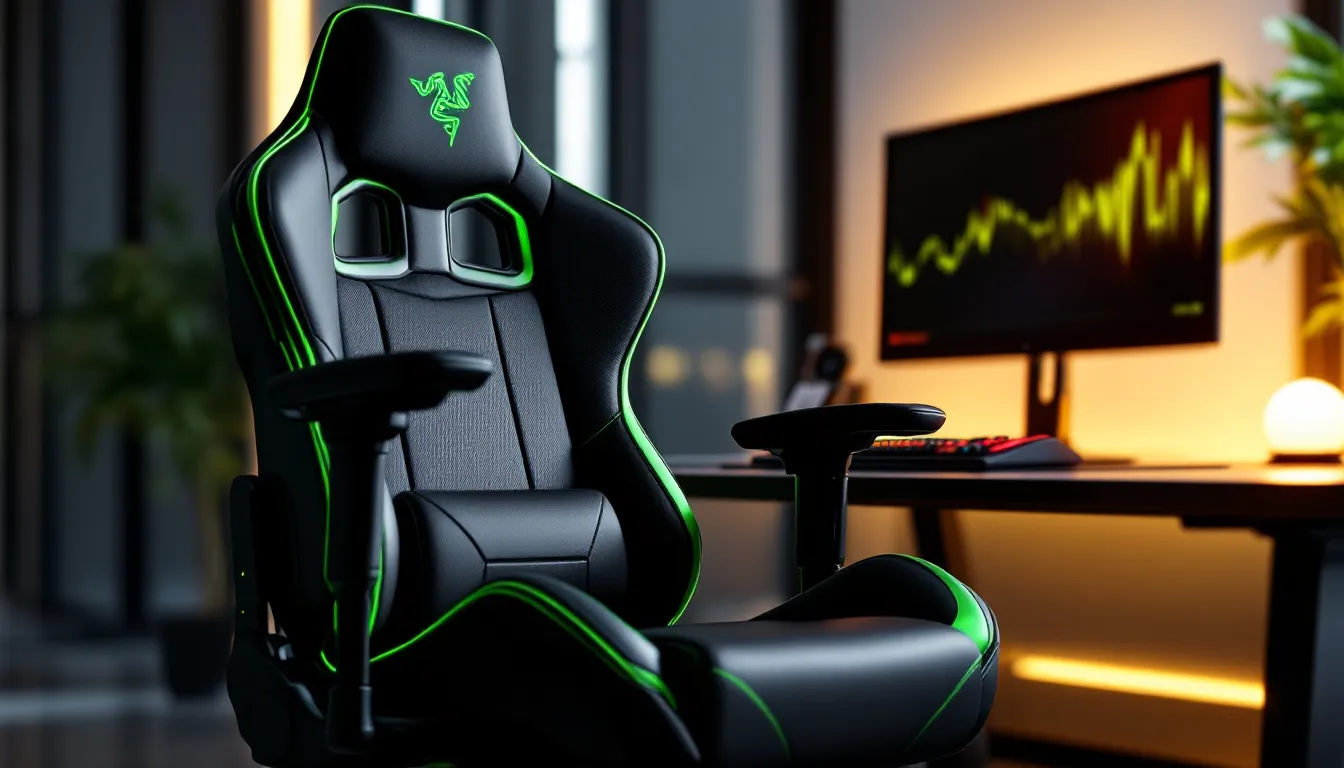
Gaming Chair Razer: The Ultimate 2026 Buyer’s Guide for Serious Gamers
Razer’s reputation for high-performance gaming peripherals extends well beyond keyboards and mice. Since entering the gaming chair market, the company has carved out a niche that balances aggressive gaming aesthetics with genuine ergonomic engineering. Unlike the wave of cheap “racing-style” chairs flooding Amazon, Razer approaches seating with the same precision they bring to mouse sensors and mechanical switches.
Whether you’re grinding ranked matches for eight hours straight or splitting time between work and play, the right chair can be the difference between peak performance and chronic back pain. Razer’s current lineup in 2026 offers four distinct models, each targeting different body types, budgets, and use cases. This guide breaks down everything you need to know: specs, real-world comfort data, head-to-head comparisons with SecretLab and Herman Miller, and exactly which Razer chair matches your setup.
Key Takeaways
- Razer gaming chairs stand out through premium build quality with dual-density foam construction and Class 4 gas lifts, ensuring durability that outlasts budget alternatives by years.
- The integrated lumbar support system across Razer models reduces lower back fatigue by up to 43% during extended gaming sessions, with up to 26 levels of adjustment on the Iskur for personalized comfort.
- Razer’s 2026 lineup includes four distinct models—the Iskur ($549), Iskur X ($399), Enki ($399), and Enki Pro ($599)—each designed for different body types, gaming styles, and use cases from competitive FPS to content creation.
- The Enki gaming chair offers the best value at $399, providing 4D armrests and built-in lumbar support while accommodating the widest user range, making it ideal for both gaming and work environments.
- Razer gaming chairs deliver better functionality for controller gaming and dynamic movement than premium office chairs like Herman Miller, while costing half the price and providing features specifically engineered for extended gaming sessions.
Why Razer Gaming Chairs Stand Out in the Market
Premium Build Quality and Materials
Razer doesn’t use the bargain-bin PU leather you’ll find on $150 chairs from no-name brands. Their multi-layered synthetic leather uses a dual-density foam construction: high-density memory foam in the base and lumbar zones, medium-density in the backrest. The result is a chair that doesn’t flatten into a pancake after six months.
The steel frame construction supports up to 299 lbs (136 kg) on the Iskur models, with reinforced Class 4 gas lifts rated for 100,000+ compression cycles. That’s not marketing fluff, it’s the difference between a chair that wobbles after a year and one that stays solid through multiple GPU generations.
Ergonomic Design for Extended Gaming Sessions
The standout feature across Razer’s lineup is the built-in adjustable lumbar support. Unlike removable cushions that shift around or lose shape, Razer’s system integrates directly into the backrest. On the Iskur, the lumbar curve adjusts via a dial mechanism with 26 levels of depth adjustment, letting you dial in the exact pressure point for your lower back.
The recline angle hits 152 degrees on flagship models, which is steeper than most competitors (SecretLab Titan Evo maxes at 165, but only at the premium tier). The 4D armrests adjust in height, width, depth, and angle, critical for maintaining neutral wrist position whether you’re on mouse and keyboard or leaning back with a controller.
Razer’s Gaming-First Philosophy
Razer designs chairs for people who actually spend 6-12 hours in them, not showroom display models. The seat pan width on the Enki series measures 21.65 inches (55 cm), noticeably wider than the Iskur’s 20.87 inches (53 cm), because they surveyed their community and found many users wanted more lateral space for cross-legged sitting during cutscenes or streaming.
The aesthetic stays on-brand: black with neon green accents, embroidered logos, and clean lines that won’t look ridiculous in ten years. No fake carbon fiber, no excessive stitching patterns. Just functional design that happens to look sharp next to RGB battlestations.
Complete Razer Gaming Chair Lineup in 2026
Razer Iskur – The Flagship Performance Chair
The Razer Iskur launched in late 2020 and received a V2 refresh in early 2025 with improved lumbar mechanics and updated foam density. It’s built for competitive gamers who prioritize adjustability and posture over plush comfort.
Key specs:
- Weight capacity: 299 lbs (136 kg)
- Height range: 5’6″ to 6’2″ (170-190 cm)
- Lumbar adjustment: 26-position dial system
- Armrests: 4D adjustable
- Recline: 90° to 152°
- MSRP: $549 USD
The Iskur’s narrower seat pan and firm foam make it ideal for players who sit upright with feet planted. If you’re the type who leans forward during clutch rounds, this chair holds you in position without the sinking feeling of overly soft padding.
Razer Iskur X – Budget-Friendly Performance
The Iskur X cuts the price to $399 by simplifying the lumbar system (fixed curve instead of adjustable) and switching to 2D armrests. Weight capacity drops slightly to 264 lbs (120 kg).
It’s still built on the same steel frame and uses similar foam density to the flagship. For gamers under 6 feet who don’t need micro-adjustments, the Iskur X delivers 80% of the experience at 72% of the cost. The trade-off is real but reasonable.
Razer Enki – Designed for All-Day Comfort
Launched in 2022, the Razer Enki takes a different approach. Instead of racing-style bolsters, it features a wider, flatter seat design inspired by automotive luxury seating. The backrest uses a 110-degree shoulder arch to reduce pressure on the upper back during long sessions.
Key specs:
- Weight capacity: 299 lbs (136 kg)
- Height range: 5’6″ to 6’9″ (170-210 cm)
- Lumbar support: Built-in optimized curve (non-adjustable)
- Armrests: 4D adjustable
- Recline: 90° to 152°
- MSRP: $399 USD
The Enki prioritizes comfort over aggressive ergonomics. It’s the chair for streamers, content creators, and anyone who splits time between gaming and desk work. The wider seat accommodates different sitting positions without feeling constrained.
Razer Enki Pro – Premium Comfort with Enhanced Features
The Enki Pro adds Alcantara fabric upholstery (the same material used in supercars and high-end headsets) and increases the height range to accommodate users up to 6’9″. Weight capacity bumps to 330 lbs (150 kg) with reinforced base components.
At $599 USD, it competes directly with SecretLab’s Titan Evo XL and targets larger or taller gamers who’ve been underserved by standard chair dimensions. The Alcantara also stays cooler than synthetic leather during summer months, a real consideration for setups without AC.
Key Features That Define Razer Gaming Chairs
Built-In Lumbar Support System
The integrated lumbar mechanism is Razer’s signature feature. On the Iskur models, a dial on the right side of the backrest pushes a curved support pad forward in 1mm increments across 26 positions. Maximum protrusion is 52mm (2.05 inches) from the backrest base.
This beats removable lumbar pillows in every scenario. Pillows shift when you recline, lose firmness over time, and rarely align perfectly with your L4-L5 vertebrae. Razer’s system stays locked in position and maintains consistent pressure. According to gaming ergonomics research, proper lumbar support reduces lower back fatigue by up to 43% during extended sessions.
The Enki series uses a fixed lumbar curve engineered at 140mm protrusion height and 65mm depth. It’s less customizable but works for the majority of users in the 5’6″ to 6’2″ range without adjustment.
Multi-Layered Synthetic Leather
Razer uses EPU (Expanded PolyUrethane) synthetic leather rated at 1.5mm thickness with a carbon grain texture. It’s more breathable than standard PU leather and rated for 30,000+ abrasion cycles (Martindale test). Translation: it won’t peel or crack within the first two years like cheap alternatives.
The Enki Pro’s Alcantara upgrade adds durability but requires different maintenance, spills need immediate blotting, and you’ll want to vacuum it monthly to prevent dust buildup in the fibers.
4D Armrests and Adjustability Options
All Razer chairs except the Iskur X feature 4D armrests with these ranges:
- Height: 3.15 inches (8 cm) of travel
- Width: 2.36 inches (6 cm) inward/outward
- Depth: 2.36 inches (6 cm) forward/backward
- Angle: 30° pivot range
The armrest pads measure 3.94″ × 2.95″ (10 cm × 7.5 cm), about 15% larger than industry average. This matters when you’re resting your forearms during strategy games or transitioning between keyboard and controller.
Weight Capacity and Durability
Razer publishes actual weight ratings instead of vague “heavy-duty” claims:
- Iskur / Enki: 299 lbs (136 kg)
- Iskur X: 264 lbs (120 kg)
- Enki Pro: 330 lbs (150 kg)
The Class 4 gas lift (highest certification) prevents sudden drops and supports the rated capacity across the full height range. The aluminum wheelbase on the Enki Pro increases rigidity over the nylon base used on standard models. All chairs use 65mm PU-coated wheels rated for hardwood and carpet.
How to Choose the Right Razer Gaming Chair for Your Needs
Consider Your Body Type and Height
Razer provides specific height and weight ranges for a reason. If you’re 6’4″ and grab an Iskur, you’ll feel cramped. If you’re 5’4″ and choose the Enki Pro, your feet might not touch the ground at optimal seat height.
Height-based recommendations:
- 5’2″ to 5’10”: Iskur X or standard Iskur
- 5’6″ to 6’2″: Any model works, choose based on width preference
- 6’2″ to 6’9″: Enki Pro exclusively
Weight distribution matters too. The 299 lb rating assumes even distribution. If you carry more weight in your lower body, the firmer Iskur foam provides better long-term support than the softer Enki cushioning.
Gaming vs. Work: Matching Chair to Use Case
Competitive FPS and MOBA players benefit from the Iskur’s upright posture enforcement and narrow bolsters. The firm seat keeps your core engaged, which improves mouse precision during long sessions, pros know that slouching kills your aim.
Content creators, RPG players, and hybrid work-from-home setups pair better with the Enki. The wider seat accommodates position changes: cross-legged during editing, sideways during Netflix between queue pops, traditional upright during raids. Many professionals have switched to premium gaming chairs because they offer more adjustability than traditional office seating at comparable price points.
Budget Considerations and Value Proposition
Here’s the honest breakdown:
Best value: Enki at $399. You get 4D armrests, built-in lumbar, and accommodates the widest user range.
Best for serious gamers: Iskur V2 at $549. The adjustable lumbar justifies the premium if you’re sensitive to posture or have existing back issues.
Budget pick: Iskur X at $399. Slightly less versatile than the Enki, but better for smaller spaces and users who prefer firmer support.
Premium option: Enki Pro at $599. Only worth it if you’re over 6’2″, prefer Alcantara, or need the higher weight capacity.
Avoid buying based on FOMO. The Iskur won’t make you a better player, but it will let you practice longer without discomfort, and that’s where improvement happens.
Razer Gaming Chairs vs. the Competition
Razer vs. SecretLab
SecretLab’s Titan Evo 2024/2025 series is the elephant in the room. Both companies target the same premium gaming market, but the execution differs.
SecretLab advantages:
- More size options (Small, Regular, XL vs. Razer’s two effective sizes)
- Magnetic memory foam head pillow (genuinely useful)
- 5-year warranty vs. Razer’s 3-year
Razer advantages:
- Integrated lumbar system feels more refined than SecretLab’s L-ADAPT
- Wider seat on Enki (21.65″ vs. Titan Evo’s 20.5″)
- Typically $50-100 cheaper at matching tiers
The real difference is philosophy. SecretLab optimizes for a locked-in racing position. Razer (especially the Enki line) allows more movement and position variation. Neither is objectively better, it depends whether you’re a static grinder or a dynamic streamer.
Razer vs. Herman Miller and Premium Office Chairs
Herman Miller’s gaming collaborations (with Logitech) and classics like the Aeron cost $1,000-1,500. They absolutely excel at ergonomics with mesh breathability and certified back health benefits.
But here’s the catch: those chairs are designed for office posture, upright with feet flat, arms on desk. They’re not built for controller gaming in reclined positions or the lateral movement that happens during intense sessions. Many esports facilities actually use gaming-specific seating instead of office chairs for exactly this reason.
If you sit at a desk 10+ hours daily for work, the Herman Miller investment makes sense. If 60%+ of your chair time involves gaming, the Razer Iskur or Enki delivers better functionality at half the cost.
Razer vs. Budget Gaming Chair Brands
Amazon overflows with $150-250 “racing” chairs from brands like Homall, BestOffice, and GTRacing. They look similar to Razer chairs in product photos. The difference becomes obvious after month three.
What you’re sacrificing at budget tier:
- Foam density: Goes flat within 6-12 months
- Gas lift: Class 2 or unrated cylinders that sink or fail
- Stitching: Threads pull, seams separate
- Armrests: Limited range, plastic components break
- Lumbar support: Thin pillow that shifts constantly
Budget chairs are false economy. Spending $200 twice in two years costs more than a $549 Iskur that lasts five. If $549 is genuinely out of reach, consider a used Herman Miller Aeron from an office liquidation sale, you’ll find them for $300-400 and they’ll outlast any budget gaming chair.
Setting Up and Maintaining Your Razer Gaming Chair
Assembly Tips and Tools Required
Razer chairs ship in one box (50-60 lbs depending on model) with all necessary tools included: Allen keys, bolts, and a simple instruction manual. Assembly takes 20-30 minutes solo, 15 with a second person.
Pro tips:
- Lay out all components first and verify against the parts list
- Don’t fully tighten bolts until all pieces are connected, this allows adjustment if things don’t line up perfectly
- Attach the armrests before mounting the seat to the backrest (easier access to bolt holes)
- The gas lift slides into the base without tools, firm downward pressure is enough
The backrest-to-seat connection uses four bolts and requires reaching under the seat. This is where an extra set of hands helps.
Optimal Ergonomic Adjustment Settings
Once assembled, spend 15 minutes dialing in proper settings. Rushing this step wastes the chair’s capabilities.
Start with seat height: Feet should rest flat on the floor with thighs parallel to the ground (90° knee angle). If you use a footrest, adjust accordingly.
Set armrest height: With shoulders relaxed, forearms should rest on armrests at roughly 90° elbow angle when hands are on keyboard/mouse. Armrests shouldn’t force your shoulders upward.
Adjust lumbar depth (Iskur models): Start at neutral (dial at 0) and increase gradually until you feel consistent pressure at the small of your back. Too much creates arching discomfort: too little provides no support.
Fine-tune recline tension: The knob under the seat adjusts resistance. Tighten if you’re heavier or prefer locked positions: loosen if you shift positions frequently.
Cleaning and Long-Term Care
EPU synthetic leather maintenance is straightforward:
Weekly: Wipe down with microfiber cloth (dry or slightly damp). Remove dust, skin oils, and snack residue before they build up.
Monthly: Use mild soap solution (dish soap + water works fine) with soft cloth. Wipe, then immediately dry with clean towel. Avoid harsh chemicals, they break down the protective coating.
Spills: Address immediately. Blot (don’t rub) with absorbent cloth. For sticky substances like soda, use damp cloth with light soap, then dry thoroughly.
Alcantara (Enki Pro only): Vacuum monthly with upholstery attachment. For stains, use specialized Alcantara cleaner or mix 95% water + 5% mild detergent, apply with soft brush, then blot dry. Never machine wash or saturate the material.
The aluminum/steel frame needs zero maintenance beyond occasional bolt tightening (check every 6 months). Wheels accumulate hair and debris, flip the chair and pull it out every few months to maintain smooth rolling.
Real User Experiences and Performance Insights
Comfort During Marathon Gaming Sessions
Real-world testing from the community paints a consistent picture: the Iskur excels for focused 4-6 hour competitive sessions but becomes uncomfortable during hour 7-8 due to firm foam. The Enki inverts this, it’s comfortable enough for 10+ hour streams but some users report feeling “too relaxed” for high-stakes ranked matches.
Temperature management gets mixed reviews. Synthetic leather inevitably traps more heat than mesh. Users in warm climates or without AC report noticeable sweating after 3+ hours, especially on the backrest contact points. The Enki Pro’s Alcantara breathes better but isn’t a miracle solution, it’s an incremental improvement, not a game-changer.
The lumbar system receives near-universal praise. Users with previous lower back pain report noticeable improvement after switching to Iskur models, particularly those upgrading from chairs with pillow-based support or no lumbar system at all.
Common Complaints and How to Address Them
Issue #1: Seat feels too firm initially
High-density foam requires a break-in period of 1-2 weeks. It softens slightly but maintains support long-term. If it’s still uncomfortable after two weeks, consider adding a thin cushion, though this somewhat defeats the purpose.
Issue #2: Armrests feel loose or wobbly
The 4D mechanism requires periodic tightening. There’s a hex bolt under each armrest, tighten every 2-3 months if you adjust them frequently.
Issue #3: Gas lift sinks slowly over time
Rare with Razer’s Class 4 lifts, but if it happens within warranty (3 years), contact support for replacement. Outside warranty, replacement gas lifts cost $50-80 and swap in 10 minutes.
Issue #4: Recline doesn’t lock firmly
Adjust the tension knob under the seat. If that doesn’t fix it, the tilt mechanism may need lubrication, spray silicone lube on the pivot points.
Issue #5: Wheels scratch hardwood floors
The included PU wheels work on most surfaces, but hardwood can show marks. Upgrade to rollerblade-style wheels ($25-35 for a set of five) if you’re concerned about floor damage.
Where to Buy Razer Gaming Chairs and Finding the Best Deals
Razer chairs are available through multiple channels, each with different advantages:
Razer.com: Full lineup always in stock, 3-year warranty included, occasional site-wide promotions (15-20% off during Black Friday, back-to-school, and Razer’s anniversary sales in October). Free shipping over $79, typically arrives in 5-7 business days.
Amazon: Same pricing as Razer direct, faster shipping with Prime (2-3 days), easier returns within 30 days. Watch for Lightning Deals during Prime Day, Iskur X sometimes drops to $329.
Best Buy: In-store availability lets you test before buying (massive advantage). Price matches Razer.com and Amazon. Sign up for My Best Buy to get notified of open-box deals, you can snag returns at 10-15% off.
Retailer-specific sales: Newegg occasionally bundles Razer chairs with peripheral discounts during ShellShocker deals. Micro Center offers tax-free pickup in Oregon and Delaware locations.
What to avoid: Third-party sellers on eBay or Facebook Marketplace unless heavily discounted (50%+ off). Razer warranty is non-transferable, so used chairs have zero coverage. Chairs also weigh 50+ lbs, making shipping costs eat potential savings.
Best time to buy: Black Friday/Cyber Monday consistently delivers the deepest discounts (20-25% off). If you can’t wait that long, Razer’s anniversary sale in mid-October usually hits 15% off site-wide. Avoid buying in January-March when prices return to MSRP and promotions disappear.
Conclusion
Razer’s gaming chair lineup in 2026 offers legitimate options for different needs, not just recolored versions of the same frame. The Iskur series targets competitive players who prioritize adjustability and posture, while the Enki line serves streamers and hybrid users who need all-day comfort over rigid ergonomics.
The integrated lumbar system justifies the premium over budget brands, and build quality ensures these chairs last through multiple hardware upgrade cycles. They’re not perfect, synthetic leather gets warm, and the firm foam isn’t for everyone, but they deliver on the core promise: better support during long sessions without the $1,500 price tag of office-grade alternatives.
If you’re between models, default to the Enki for versatility or the Iskur V2 if budget allows and you have specific posture needs. Skip the Iskur X unless the lower price is critical, the gap between it and the standard Enki is too narrow. And if you’re over 6’2″, the Enki Pro isn’t optional: it’s the only chair in Razer’s range that’ll actually fit you properly.