
Free Games on Xbox Cloud Gaming Without Game Pass: Your Complete 2026 Guide to Playing for Free
Cloud gaming has torn down one of the biggest barriers in gaming, the need for expensive hardware. Xbox Cloud Gaming (formerly xCloud) sits at the forefront of this revolution, letting players stream titles directly to phones, tablets, and low-spec PCs. But there’s a catch most people know about: it’s typically bundled with Game Pass Ultimate, Microsoft’s $16.99/month subscription.
Here’s what fewer gamers realize: you don’t always need Game Pass to use Xbox Cloud Gaming. A handful of free-to-play titles are available to stream without paying a dime. No subscription. No hardware requirements beyond a compatible device and decent internet. It’s not the full library, but it’s a legitimate way to test cloud gaming or jump into popular multiplayer games without opening your wallet.
This guide breaks down exactly which games you can play for free, how to access them, what limitations you’ll hit, and whether the free tier is worth your time, or if Game Pass Ultimate makes more sense.
Key Takeaways
- Play free-to-play games like Fortnite, Rocket League, and Genshin Impact on Xbox Cloud Gaming without a Game Pass subscription or expensive hardware.
- Free games on Xbox Cloud Gaming are limited to approximately 10-12 titles, but they stream at full quality up to 1080p/60fps with no performance throttling compared to paid subscribers.
- Access free Xbox Cloud Gaming instantly by signing into xbox.com/play with a Microsoft account on any compatible device—Windows PC, Android, iOS, Chromebook, or Samsung Smart TV—requiring only 10Mbps internet and a controller.
- A wired ethernet connection and 5GHz Wi-Fi significantly reduce lag for cloud gaming, while peak-hour sessions between 6-10 PM often experience slower streaming quality.
- Game Pass Ultimate ($16.99/month) unlocks 400+ games and day-one releases, making it worthwhile if you want premium titles beyond the free multiplayer offerings.
What Is Xbox Cloud Gaming and How Does It Work?
Xbox Cloud Gaming is Microsoft’s game streaming service that runs titles on remote servers and streams the video to your device. You’re essentially playing on Xbox Series X hardware sitting in a data center somewhere, with your inputs transmitted over the internet and the game’s visuals streamed back to your screen.
The tech relies on Azure’s server infrastructure. When you hit a button, that input travels to Microsoft’s servers, the game processes it, and the resulting frame gets encoded and sent back to you, ideally in under 50ms to keep latency playable. It’s the same principle as streaming a Netflix show, except interactivity makes lag far more noticeable.
Xbox Cloud Gaming launched in beta in 2019 as Project xCloud, bundled into Game Pass Ultimate in September 2020. As of March 2026, it supports over 400 games from the Game Pass library, playable on Android, iOS (via browser), Windows PCs, Xbox consoles, and select Samsung smart TVs. You don’t need an Xbox to use it, just a controller (or touch controls for supported games) and a Microsoft account.
Can You Really Play Xbox Cloud Gaming Without Game Pass?
Yes, but with a massive caveat: only specific free-to-play games are available without a Game Pass Ultimate subscription. Microsoft quietly enabled this feature in late 2021, starting with Fortnite as the flagship title. The company expanded the roster slightly over the years, but the free tier remains deliberately limited compared to the 400+ games accessible with Game Pass.
You won’t get access to premium titles like Starfield, Halo Infinite’s campaign, or Persona 5 Royal without subscribing. The free offering targets players who want to sample cloud gaming or jump into F2P multiplayer games without hardware limitations. Think of it as a demo of the technology paired with games that already make their money through microtransactions, not upfront purchases.
The Current State of Free-to-Play Games on Xbox Cloud Gaming
As of March 2026, the free tier includes approximately 10-12 titles. The exact number fluctuates as Microsoft tests new additions or rotates games out. Fortnite remains the anchor, it’s been free to stream since day one of the program and receives the same updates and seasonal content as other platforms.
Other confirmed titles include Rocket League, Fall Guys, and Brawlhalla. Microsoft hasn’t heavily marketed this feature, so many gamers don’t even know it exists. Games available for streaming on compatible platforms without subscriptions are typically cross-platform multiplayer titles that benefit from expanded player bases.
The quality of free titles varies. You’re getting legitimate AAA experiences like Fortnite, but don’t expect a rotating selection of premium single-player games. Microsoft’s business model hinges on converting free users into paying Game Pass subscribers, so the free library stays intentionally narrow.
Free Games Available on Xbox Cloud Gaming Without a Subscription
The free library won’t impress anyone expecting hundreds of options, but the games available are legitimate, fully updated, and playable without spending a cent.
Fortnite: Battle Royale Without Barriers
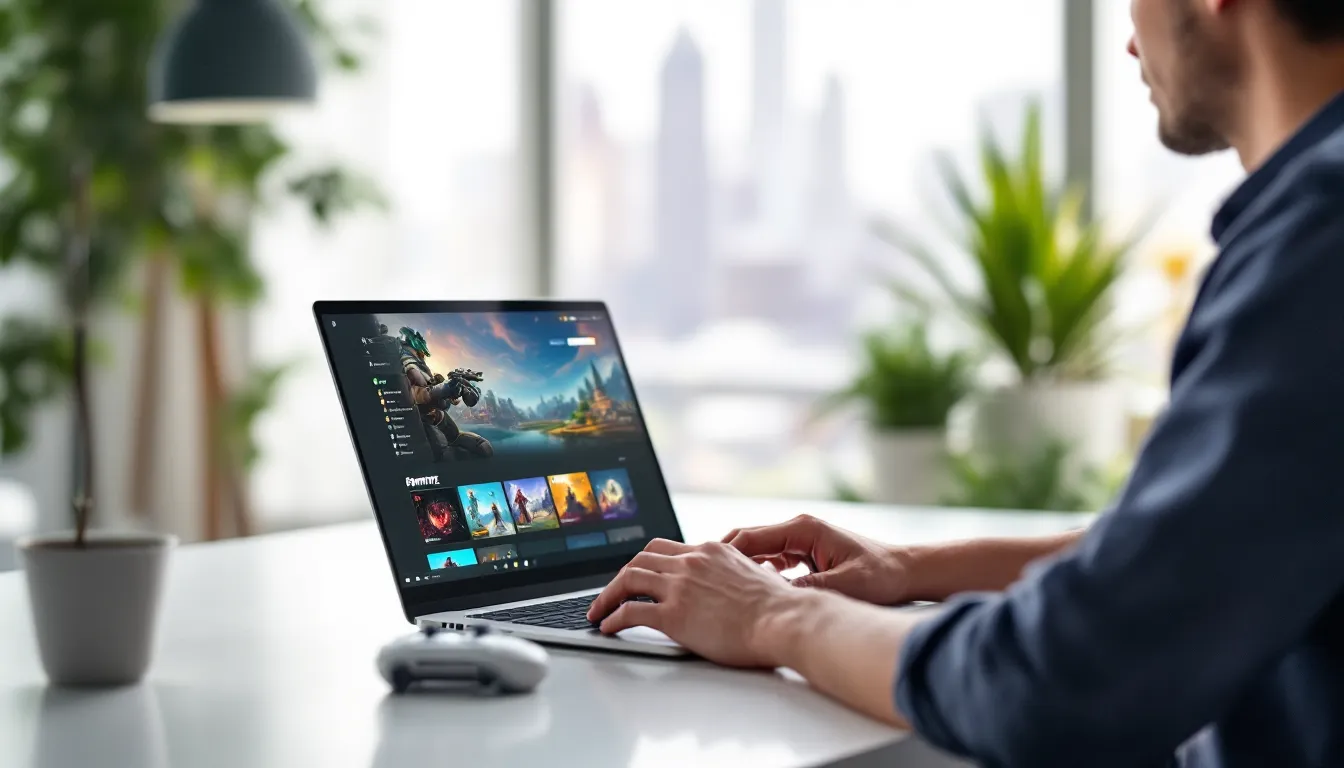
Fortnite is the flagship free offering and the best reason to try Xbox Cloud Gaming without Game Pass. Epic’s battle royale runs at up to 1080p/60fps when streaming conditions are ideal, matching the performance of Xbox Series S hardware. You’ll get access to the full experience: Battle Royale, Zero Build mode, Creative maps, and seasonal content updates.
Streaming Fortnite bypasses the need for a gaming PC or console entirely. Players on low-spec laptops, Chromebooks, or mobile devices can jump into matches seconds after opening a browser. The game’s popularity means full lobbies and minimal wait times across all modes.
Fortnite’s V-Bucks and Battle Pass system work identically to other platforms. Your Epic account carries over progress, skins, and purchases across all devices. Microsoft doesn’t gate cosmetics or in-game purchases behind Game Pass, Epic handles monetization independently.
Other Free-to-Play Titles You Can Access
Beyond Fortnite, the free tier includes several multiplayer-focused games:
-
Rocket League: Psyonix’s car-soccer hybrid streams smoothly at 1080p/60fps. Competitive ranked modes, casual playlists, and the full roster of licensed cars are accessible. Cross-platform play means you’re matching with players on PC, PlayStation, and Switch.
-
Fall Guys: The chaotic party game from Mediatonic runs on cloud servers without requiring a subscription. All seasonal content, costumes, and limited-time events are available. The game’s physics-heavy gameplay can occasionally feel sluggish on weaker internet connections.
-
Brawlhalla: Blue Mammoth’s platform fighter offers all 50+ Legends for free in rotation, with the full roster unlockable through play or purchase. Cross-play support and ranked modes make this a solid pick for competitive players.
-
Genshin Impact (added February 2025): miHoYo’s gacha RPG joined the free tier after massive player demand. Streaming bypasses the game’s notorious storage requirements (100GB+ on PC). Your miHoYo account syncs progress across devices.
-
Warframe: Digital Extremes’ long-running looter-shooter streams well due to its optimization. Hundreds of hours of content available without spending money, though the game’s complexity may overwhelm new players.
Microsoft occasionally tests additional titles in select regions. The lineup isn’t static, but changes happen slowly. Don’t expect weekly rotations like Netflix, this is a curated selection meant to showcase cloud gaming’s viability, not replace a full subscription.
How to Access Free Games on Xbox Cloud Gaming
Getting started with free Xbox Cloud Gaming is straightforward, but you’ll need to meet specific device and network requirements.
Setting Up Your Microsoft Account
You need a free Microsoft account, that’s it. No credit card required, no trial subscription to cancel later. If you’ve ever used Outlook, OneDrive, or Windows 10/11, you already have one.
Head to xbox.com/play and sign in. The site will automatically detect whether you have Game Pass Ultimate. If you don’t, it’ll show only the free-to-play games available for streaming. There’s no separate “free tier” toggle, Microsoft’s backend handles access based on your subscription status.
Compatible Devices and System Requirements
Xbox Cloud Gaming works on a surprising range of hardware:
-
Windows PCs: Any device running Windows 10 (version 1903 or later) or Windows 11 through the Xbox app or browser at xbox.com/play. No gaming rig required, streaming works on basic laptops with integrated graphics.
-
Android devices: Version 6.0 or higher via the Xbox Game Pass app. Samsung phones and tablets get native integration on Galaxy Store versions.
-
iOS/iPadOS: iPhone and iPad users access cloud gaming through Safari or Chrome at xbox.com/play (no native app due to Apple’s App Store policies). iOS 14.5 or later required.
-
Chromebooks: Most Chromebooks running Chrome OS 86 or later can stream via browser. Performance depends heavily on internet speed, not device specs.
-
Samsung Smart TVs: Select 2021+ models (check Samsung’s Gaming Hub compatibility list). Requires a Bluetooth controller.
You’ll need a compatible controller for most games. Xbox Wireless Controllers work natively, but DualSense, DualShock 4, and most Bluetooth controllers are supported. Touch controls work for Fortnite and select mobile-optimized titles, though they’re clunky for competitive play.
Network requirements: Microsoft recommends 10Mbps minimum (20Mbps for 1080p), 5GHz Wi-Fi or wired ethernet, and under 150ms ping to the nearest Azure data center. Cellular connections work but burn through data fast, expect 2-4GB per hour at 720p.
Step-by-Step Guide to Playing Free Games
- Visit xbox.com/play (or open the Xbox app on Windows/Android).
- Sign in with your Microsoft account.
- Browse the game library. Free games appear under “Free-to-Play” or in the main catalog with no Game Pass branding.
- Select a game (like Fortnite) and click “Play.”
- Connect a controller via Bluetooth or USB when prompted (or use touch controls if available).
- Wait for the stream to initialize. This takes 10-30 seconds depending on server load.
- Play. The game streams at up to 1080p/60fps. Settings adjust automatically based on connection quality.
First-time users may need to complete a brief tutorial prompt explaining controller mapping. After that, launching games takes seconds.
Limitations of Playing Without Game Pass
Free access to Xbox Cloud Gaming comes with trade-offs that become obvious once you start exploring beyond the handful of free titles.
Game Library Restrictions
The biggest limitation is obvious: you’re locked to 10-12 free-to-play games. The full Game Pass library, over 400 titles including day-one releases like Senua’s Saga: Hellblade II, Avowed, and Starfield, remains inaccessible. You can’t stream games you own digitally unless they’re in the free tier or you have Game Pass Ultimate.
Players who develop games with Unity may find the free tier useful for testing cloud-based multiplayer projects, but the lack of premium titles limits its appeal for casual gaming sessions.
No free trials of paid games exist within cloud gaming. Microsoft occasionally offers time-limited demos of Game Pass titles, but these require a subscription. The free tier doesn’t rotate in premium games the way PlayStation Plus Extra does with its monthly catalog changes.
Performance and Streaming Quality Differences
Free users stream at the same resolution and frame rate as Game Pass Ultimate subscribers, up to 1080p/60fps on most devices. There’s no artificial throttling of video quality or added input lag. Microsoft confirmed this in 2022 after early rumors suggested tiered performance.
But, free users may experience longer queue times during peak hours. Game Pass Ultimate members get priority server access when Azure data centers hit capacity. In practice, this rarely matters for Fortnite or Rocket League (both have dedicated server allotments), but it could affect future free titles.
Streaming quality depends heavily on factors outside Microsoft’s control: your ISP’s routing to Azure servers, network congestion, Wi-Fi interference, and device performance. Free and paid users face the same technical challenges here. A wired ethernet connection improves latency far more than upgrading to Game Pass.
Alternatives to Xbox Cloud Gaming for Free Cloud Gaming
Xbox isn’t the only player offering free cloud gaming. Two competitors provide broader free-tier access, though each has unique limitations.
NVIDIA GeForce NOW Free Tier
GeForce NOW offers the most generous free cloud gaming option. The free tier grants one-hour session lengths with standard rig performance (1080p/60fps) and access to over 1,500 compatible games. Unlike Xbox’s approach, you stream games you already own on Steam, Epic Games Store, Ubisoft Connect, or GOG.
The catch: You need to own the games first. Free-to-play titles like Fortnite, League of Legends, and Apex Legends stream without purchases, but premium games require existing library ownership. Hour-long sessions interrupt gameplay, you’ll need to restart and potentially wait in queue after each session expires.
GeForce NOW shines for PC gamers with existing Steam libraries who want to play on low-spec laptops or mobile devices. It’s less useful if you don’t already own compatible games. Performance can edge out Xbox Cloud Gaming due to NVIDIA’s hardware, but server availability varies by region.
Amazon Luna Free Games
Amazon Luna includes a rotating selection of free games with an Amazon Prime membership. March 2026’s lineup includes titles like Forza Horizon 4, Devil May Cry 5, and Observer: System Redux. The free channel offers 5-10 games monthly, though the selection skews toward older releases.
Prime members also get access to Luna’s free-to-play games (Fortnite, Jackbox Party Packs) without additional subscriptions. Streaming quality tops out at 1080p/60fps with 4K available for paid Luna+ subscribers.
Luna’s biggest weakness is platform support. It’s limited to Fire TV, Fire tablets, select Samsung TVs, Chromebooks, Windows, and Mac. No iOS support exists, and Android compatibility remains spotty. The service also lacks the controller ecosystem flexibility of Xbox Cloud Gaming, you’ll get the best experience with Luna’s proprietary controller ($69.99) or recent Xbox controllers.
For gamers who stay updated on gaming news, Luna’s rotating free catalog can provide decent variety, but it doesn’t match the consistency of Xbox’s free tier for multiplayer-focused titles.
Tips for Maximizing Your Free Xbox Cloud Gaming Experience
Streaming games introduces variables you don’t deal with on local hardware. A few tweaks can dramatically improve your experience.
Optimizing Your Internet Connection for Cloud Gaming
Cloud gaming lives or dies by your network quality. Here’s how to minimize lag and visual artifacts:
-
Use 5GHz Wi-Fi or ethernet: 2.4GHz Wi-Fi is too congested in most homes. Wired connections cut latency by 10-20ms compared to Wi-Fi.
-
Close background apps: Streaming services, downloads, and automatic updates compete for bandwidth. Pause cloud backups and close browser tabs with video.
-
Test server latency: Tools like Cloudping (cloudping.info) show your ping to Azure data centers. Under 50ms is ideal, 50-100ms is playable, over 150ms causes noticeable lag.
-
Enable QoS (Quality of Service) on your router if available. Prioritize the device streaming Xbox Cloud Gaming over other household traffic.
-
Avoid peak hours: Streaming quality dips between 6-10 PM when ISP networks face heavy load. Early morning or late-night sessions often perform better.
-
Check your ISP for throttling: Some providers deprioritize gaming traffic. If performance tanks during specific times, contact your ISP or use a VPN (though VPNs add latency).
Visual quality auto-adjusts based on connection stability. If you notice blocky graphics or stuttering, your bandwidth is insufficient or packet loss is occurring. Run a speed test at speedtest.net, you should see consistent speeds near your plan’s advertised rates.
Making the Most of Free-to-Play Game Content
Free-to-play games can provide hundreds of hours without spending money if you approach them strategically:
-
Focus on gameplay loops, not cosmetics: Fortnite, Rocket League, and Warframe gate skins behind paywalls, but core gameplay stays free. Resist FOMO on limited-time cosmetics unless you’re genuinely invested.
-
Use cross-progression: Link your Epic, Psyonix, or Warframe accounts across platforms. Progress made on Xbox Cloud Gaming carries over to PC or console if you switch devices.
-
Check for limited-time events: F2P games run frequent events offering free cosmetics, XP boosts, or premium currency. Fortnite’s seasonal events and Genshin Impact’s version updates provide substantial free content.
-
Play during off-peak hours: Competitive multiplayer games like Rocket League have shorter queue times and better server performance outside prime-time hours.
-
Join communities: Subreddits, Discord servers, and gaming guides for specific games offer tips for maximizing free content and avoiding paywalls.
Don’t sleep on single-player content within F2P games. Fortnite Creative offers thousands of user-made maps, Warframe has cinematic story quests, and Genshin Impact provides 60+ hours of free story content before endgame grind begins.
Is Game Pass Ultimate Worth It? Comparing Free vs. Paid Options
The free tier gives you a taste of cloud gaming, but Game Pass Ultimate unlocks the service’s full potential.
Game Pass Ultimate costs $16.99/month (as of March 2026) and includes:
- Full access to 400+ cloud-streaming games
- Game Pass library for Xbox consoles and PC (download and play locally)
- Day-one access to first-party releases (Fable, Perfect Dark, Gears of War: E-Day)
- EA Play membership (80+ EA titles)
- Exclusive discounts on games and DLC
For committed gamers, Ultimate pays for itself if you play 2-3 new releases per year. Day-one streaming of titles like Starfield ($69.99 standalone) or Persona 3 Reload ($59.99) delivers immediate value. The back catalog includes heavy hitters like Baldur’s Gate 3, Diablo IV, and Hollow Knight.
The free tier makes sense for three types of players:
- Fortnite/Rocket League mains who don’t need other games and want to play on low-spec devices.
- Cloud gaming skeptics testing whether streaming works on their network before committing to a subscription.
- Budget-conscious gamers who can’t justify $17/month but want occasional access to multiplayer titles.
If you find yourself wanting to try games outside the free tier, Microsoft offers frequent promotions: $1 for first-month trials, 3-month bundles at $39.99, and occasional 14-day free trials. New users can test the full library risk-free before deciding.
The value equation shifts if you own an Xbox console or gaming PC. Local hardware eliminates latency and provides better visual fidelity. Cloud gaming’s killer app is accessibility, playing AAA games on phones, tablets, and weak laptops. If you’ve got a Series X or gaming rig, the streaming component becomes a secondary perk rather than the main draw.
Conclusion
Xbox Cloud Gaming without Game Pass isn’t a replacement for a full subscription, but it’s a legitimate way to play popular multiplayer titles without hardware barriers. Fortnite alone justifies trying the service if you’re stuck on a low-spec device or want to test cloud gaming’s viability on your network.
The free tier works best as either a long-term solution for players who only care about one or two F2P games, or as a trial run before committing to Game Pass Ultimate. Microsoft’s approach remains conservative, don’t expect the free library to expand dramatically anytime soon. The company’s goal is conversion, not charity.
For players who want deeper access to cloud gaming, exploring alternatives like GeForce NOW (if you own PC games) or grabbing a Game Pass Ultimate trial makes more sense. But if you need zero-commitment access to Fortnite, Rocket League, or Genshin Impact on a Chromebook or tablet? Xbox Cloud Gaming’s free tier delivers exactly that.