

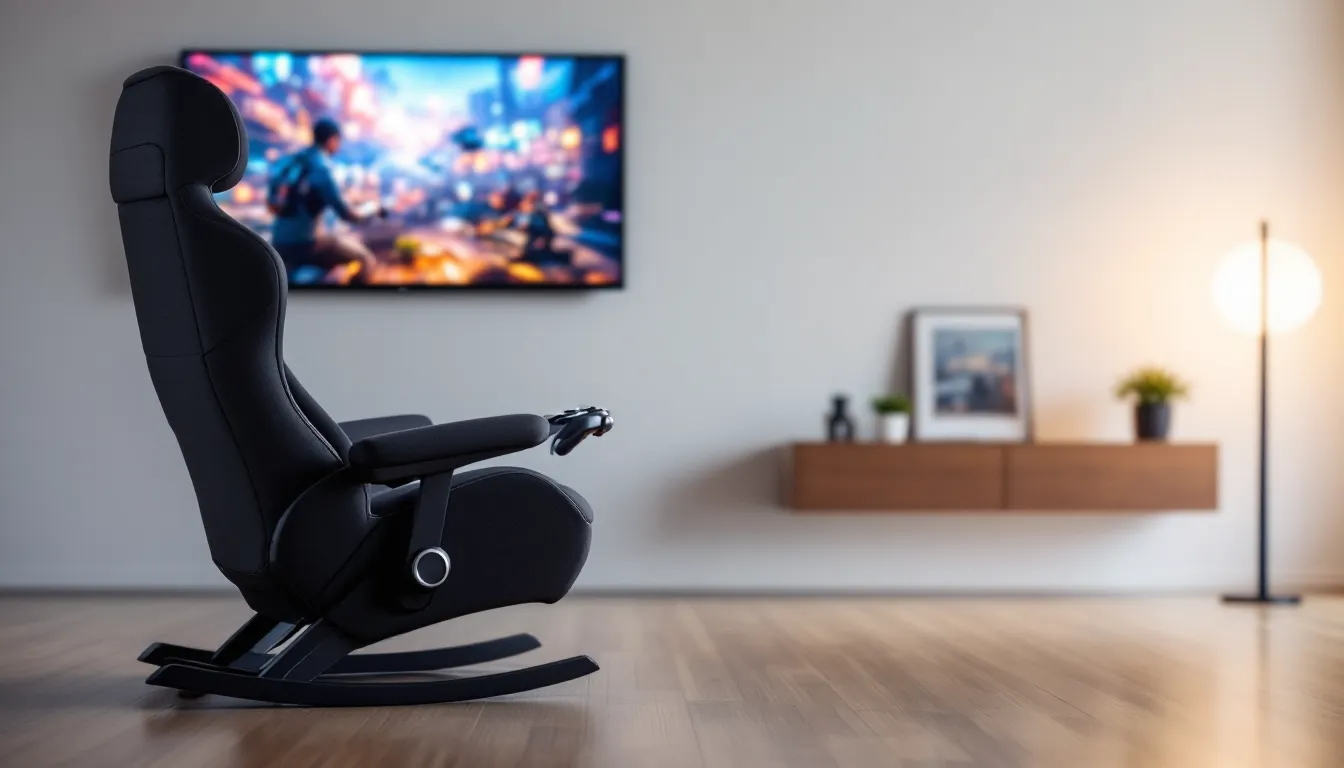
Rocking Floor Gaming Chair: The Ultimate Guide to Comfort and Immersion in 2026
Floor gaming chairs have been around for years, but the rocking variant has quietly become one of the most popular seating solutions for console and VR gamers who want that sweet spot between comfort and immersion. Unlike traditional office-style gaming chairs, these low-profile rockers put you closer to the action, literally. They’re designed for gamers who spend hours on the couch, bean bag, or floor but want something that actually supports their back and enhances the experience.
In 2026, the market’s more crowded than ever, with options ranging from bare-bones rockers under $100 to premium audio-integrated thrones pushing $400. Whether you’re grinding through Elden Ring DLC, marathoning Call of Duty ranked matches, or diving into VR on PSVR2, the right rocking floor gaming chair can level up your comfort without wrecking your setup or your wallet. This guide breaks down everything you need to know: what makes these chairs tick, how to choose one that fits your gaming style, and which models are actually worth your cash in 2026.
Key Takeaways
- Rocking floor gaming chairs position you at the optimal height and angle for console and VR gaming with proper lumbar support, offering superior comfort for extended sessions compared to couches or sitting on the floor.
- A quality rocking floor gaming chair ranges from $60–$450 depending on features, with budget models offering solid ergonomics and premium audio-integrated models delivering immersive sound without requiring a separate sound system.
- Look for chairs with adjustable reclining positions (5–7 angles), memory foam padding, and durable materials like polyester fabric or PU leather to ensure comfort and longevity over 2–4+ years of regular use.
- Built-in audio connectivity matters based on your platform: PlayStation, Xbox, and PC all support wired (3.5mm, RCA, optical) and Bluetooth connections, while VR headsets may make chair speakers redundant.
- Rocking floor gaming chairs excel for console gamers, VR enthusiasts, and space-constrained setups but aren’t ideal for competitive PC gamers or those who primarily use keyboards and mice at desks.
- Weekly vacuuming, immediate spill cleanup, and quarterly frame inspections keep your rocking floor gaming chair in top condition and extend its lifespan significantly.
What Is a Rocking Floor Gaming Chair?
A rocking floor gaming chair is a low-seating chair designed to sit directly on the floor, with a curved base that allows the user to rock back and forth. Unlike standard chairs with legs or wheels, these chairs rest flat on the ground, positioning the gamer at a lower height, ideal for console gaming on a TV or monitor positioned at mid-height.
They’re built specifically for gamers who prefer couch-style or floor-based gaming setups. Most models feature padded backrests, armrests, and built-in speakers or audio jacks for enhanced sound.
Key Features That Define Rocking Floor Gaming Chairs
What separates a rocking floor gaming chair from a glorified floor cushion? A few key features:
- Rocking base: Curved bottom allows smooth forward and backward motion, mimicking the natural body movement during intense gameplay.
- Ergonomic backrest: Usually adjustable or contoured to support the spine during extended sessions. Most offer multiple reclining positions (commonly 4-7 angles).
- Integrated audio: Mid-range and premium models include built-in speakers, subwoofers, and connectivity via Bluetooth, 3.5mm aux, or RCA jacks.
- Padded armrests: Not universal, but common on higher-end models for wrist and elbow support.
- Foldability: Many designs fold flat for storage, crucial for smaller gaming spaces or shared living rooms.
These features make rocking floor chairs more than just “a chair on the ground”, they’re purpose-built for immersion and comfort.
How Rocking Floor Chairs Differ from Traditional Gaming Chairs
Traditional gaming chairs, think racing-style seats with wheels and gas lifts, are designed for desks. Rocking floor chairs are designed for everything else.
First, height. Traditional chairs elevate you 18-22 inches off the ground, putting you at desk level. Rocking floor chairs sit 4-8 inches high, perfect for gaming on a couch-height TV or playing from the living room floor. You’re not fighting awkward neck angles.
Second, mobility vs. stability. Traditional chairs roll: floor rockers stay put. That’s a feature, not a bug. The rocking motion is controlled and deliberate, not accidental. You won’t slide backward during a tense Street Fighter 6 combo.
Third, form factor. Traditional chairs dominate a room. Floor rockers fold up, tuck away, or blend into a living room setup without screaming “gamer cave.” They’re also way easier to transport to a friend’s house for local co-op.
Finally, audio integration. Very few traditional gaming chairs bother with built-in speakers. Floor rockers lean into it, especially for console gamers who might not always wear a headset.
Why Gamers Choose Rocking Floor Gaming Chairs
Rocking floor gaming chairs aren’t just a budget alternative to high-end racing chairs, they serve a completely different gaming style and environment. Here’s why they’ve earned a loyal following.
Enhanced Immersion for Console and VR Gaming
Console gamers and VR enthusiasts swear by floor rockers because they match the natural posture for these platforms. When you’re playing Horizon Forbidden West or Resident Evil Village VR on a 55-inch TV or headset, you’re not sitting upright at a desk. You’re leaning back, controller in hand, immersed in the world.
The rocking motion amplifies this. During high-speed racing in Gran Turismo 7 or dodging attacks in Monster Hunter Rise, your body naturally shifts. A rocking chair moves with you instead of resisting. It’s subtle, but it matters.
For VR, the low center of gravity reduces motion sickness for some users. You’re grounded, literally, which helps your brain reconcile virtual movement with physical stillness. PSVR2 and Meta Quest 3 players especially appreciate this.
Superior Comfort for Extended Gaming Sessions
Let’s be real: sitting on the floor with no support wrecks your back after 30 minutes. A rocking floor gaming chair solves this without forcing you into a rigid, upright posture.
Most models offer multi-angle reclining, anywhere from 90° upright to 135° laid-back. You can adjust on the fly depending on the game. Grinding loot in Diablo IV? Recline. Ranked Valorant match? Sit up. Pro players often recommend optimal posture settings to reduce fatigue, and floor rockers deliver that flexibility without the desk chair commitment.
Padded backrests and memory foam cushions (on premium models) also distribute weight better than couches or bean bags. Your lower back isn’t carrying the load alone.
Space-Saving Design for Small Gaming Setups
Not everyone has a dedicated gaming room. Apartment gamers, dorm dwellers, or anyone sharing a living room need furniture that doesn’t monopolize space.
Rocking floor chairs fold flat in seconds. Store them in a closet, slide them under a bed, or lean them against a wall. When you’re done gaming, they disappear. Try that with a traditional gaming chair.
They’re also lighter, most weigh 15-25 lbs compared to 50+ lbs for a racing-style chair. Moving them between rooms or taking them to a LAN party is painless.
Types of Rocking Floor Gaming Chairs
Not all rocking floor gaming chairs are created equal. The market breaks down into three main categories, each targeting different budgets and feature sets.
Basic Rocker Chairs
These are the entry-level models: simple, padded, no bells and whistles. Think of them as an ergonomic upgrade from sitting cross-legged on carpet.
What you get:
- Padded backrest and seat cushion
- Rocking base
- Foldable design
- 2-4 reclining positions
What you don’t get:
- Built-in audio
- Armrests (usually)
- Premium materials
Prices range from $60-$120. They’re solid for casual gamers or anyone testing the waters before committing to a pricier model. Durability varies wildly, some last years, others start sagging after six months. Check weight capacity (usually 200-250 lbs) and read reviews for longevity.
Pedestal Gaming Rockers
Pedestal rockers add a swivel base to the rocking mechanism. Instead of just tilting back and forth, you can rotate 360°. This matters more than you’d think, especially in shared spaces or if you’re switching between a TV and a monitor.
What you get:
- Everything from basic rockers
- 360° swivel base
- Often sturdier construction
- Sometimes armrests
Prices run $130-$220. The swivel functionality makes them more versatile for multiplayer setups or if you’re gaming in a living room where you need to turn and talk without standing up. They’re also popular for flight sim and racing game enthusiasts who want that extra freedom of movement.
Premium Audio-Integrated Models
These are the flagship models: rockers with built-in speakers, subwoofers, and full connectivity suites. They’re designed to replace or complement your gaming headset, delivering spatial audio without the ear fatigue from hours of headphone use.
What you get:
- High-quality built-in speakers (often 2.1 or 4.1 systems)
- Wireless Bluetooth connectivity
- Wired inputs (3.5mm, RCA, sometimes optical)
- Vibration motors synced to bass (on some models)
- Premium padding (memory foam or gel-infused)
- Adjustable armrests and lumbar support
- Mesh or breathable fabric options
Prices start at $200 and climb to $450+. Brands like X Rocker dominate this space, but newer competitors are pushing better audio quality and build materials. These chairs shine for single-player story games where you want cinematic sound without annoying roommates or neighbors with a full surround system.
What to Look for When Buying a Rocking Floor Gaming Chair
Buying a rocking floor gaming chair isn’t rocket science, but a few key factors separate a great purchase from one you’ll regret.
Ergonomics and Lumbar Support
If a chair doesn’t support your lower back, it’s trash. Period. Look for models with built-in lumbar padding or at least a contoured backrest that follows your spine’s natural curve.
Check the reclining angles. Cheaper chairs offer 2-3 positions: better ones offer 5-7. More angles mean more flexibility to find your sweet spot. Some premium models have continuous reclining with a locking mechanism, those are clutch.
Material matters too. Memory foam molds to your body and retains shape over time. Standard foam compresses faster and loses support. Mesh backrests improve airflow, critical if you’re gaming in a warm room or during summer.
Adjustable headrests are rare but worth seeking out. They reduce neck strain during extended sessions, especially if you’re a taller gamer (6’+ height).
Built-In Audio and Connectivity Options
If you’re spending $200+, built-in audio better be good. Here’s what to check:
- Speaker placement: Side-mounted speakers near your ears deliver better directional audio than rear-mounted ones. Some models have speakers in the headrest, ideal for immersion.
- Subwoofer: A built-in subwoofer adds bass punch for explosions, gunfire, and engine rumbles. Essential for racing games and FPS titles.
- Connectivity: Bluetooth is convenient but can have latency (30-50ms delay). Wired 3.5mm or RCA connections eliminate lag. Optical input is rare but offers the best audio quality.
- Volume and bass control: Separate controls for volume and bass let you fine-tune on the fly. Some models bury these controls under the chair, annoying mid-game.
Many gaming setups benefit from checking detailed audio equipment reviews to ensure compatibility with other peripherals. Don’t assume compatibility, confirm your console or PC outputs match the chair’s inputs. PS5 and Xbox Series X
|
S both support 3.5mm and optical (via adapters), but double-check.
Material Quality and Durability
You don’t want your chair falling apart after three months. Key durability factors:
- Upholstery: Faux leather looks sleek but cracks and peels over time, especially with heavy use. Polyester fabric or mesh lasts longer and breathes better. Premium models use PU leather, which resists cracking better than cheap vinyl.
- Frame: Steel frames outlast plastic. Check the weight capacity as a proxy for frame strength, 250 lbs is standard, 300+ lbs indicates robust construction.
- Stitching: Double-stitched seams hold up better than single-stitched. Inspect photos or reviews for loose threads or unraveling.
- Base material: The rocking base should be solid wood or reinforced plastic. Hollow plastic bases crack under stress.
Most manufacturers offer 30-90 day warranties. A 1-year warranty signals confidence in durability.
Compatibility with Gaming Platforms
Rocking floor gaming chairs work with any platform, but connectivity specifics matter:
- PlayStation (PS4/PS5): 3.5mm and Bluetooth work natively. Optical requires an HDMI audio extractor for PS5 (Sony removed the optical port).
- **Xbox (One/Series X
|
S):** Same as PlayStation. RCA connections work via adapters.
- Nintendo Switch: Handheld mode limits you to 3.5mm or Bluetooth. Docked mode supports all connection types via TV passthrough.
- PC: Everything works. Bluetooth is plug-and-play on Windows 10/11. Wired connections offer lower latency for competitive play.
- VR (PSVR2, Meta Quest 3, Valve Index): Built-in chair audio competes with headset audio. If your VR headset has open-back headphones or you prefer external sound, chair speakers are a win. Closed-back VR headsets make chair audio redundant.
Confirm your setup before buying. If you’re primarily a PC gamer at a desk, a traditional chair makes more sense. Floor rockers excel for console and VR gaming in living room or bedroom setups.
Top Rocking Floor Gaming Chairs in 2026
The market’s flooded with options, so here are the standout models across different categories as of early 2026. Prices and availability fluctuate, so double-check current listings.
Best Overall Rocking Floor Gaming Chair
X Rocker Pro Series H3 remains the benchmark for all-around performance. It’s been a top pick for years, and the 2025 refresh addressed prior complaints about padding durability.
Key specs:
- 4.1 wireless audio system (four speakers + subwoofer)
- Bluetooth and wired 3.5mm/RCA connectivity
- Vibration motors synced to audio
- Faux leather upholstery with reinforced stitching
- 275 lbs weight capacity
- Folds flat for storage
- Price: ~$280-$320
Why it wins: The audio quality punches above its price point. The subwoofer delivers legitimate bass without distortion, and the vibration feature adds immersion for racing and action games without feeling gimmicky. Padding holds up well over 6+ months of heavy use, and the build quality justifies the cost.
Downside: Faux leather still shows wear after a year. If you sweat heavily or game in a hot room, consider the mesh variant (H3 Mesh, ~$300).
Best Budget-Friendly Option
BestOffice Floor Gaming Chair (generic brand, widely available on Amazon and Walmart) is the go-to for under $100.
Key specs:
- Padded backrest and seat
- 5 reclining positions
- Polyester fabric
- 225 lbs weight capacity
- Folds flat
- Price: ~$70-$90
No audio, no frills. Just a solid rocker that won’t destroy your back or your wallet. It’s shockingly comfortable for the price, and the fabric holds up better than cheap faux leather. Perfect for casual gamers, kids, or anyone on a tight budget.
Downside: Armrests are non-existent. If you need elbow support, spend an extra $30-$40 for a model like the Crew Furniture Classic Rocker.
Best Premium Audio Chair
Ace Bayou X Rocker Vibe 2.1 is the audio king for gamers who treat sound as seriously as visuals.
Key specs:
- 2.1 wireless audio (two high-range speakers + powerful subwoofer)
- Bluetooth 5.1 with aptX Low Latency codec (sub-30ms lag)
- Optical, RCA, and 3.5mm inputs
- Memory foam padding with breathable mesh panels
- Side-mounted control panel
- 300 lbs weight capacity
- Price: ~$380-$420
Why it’s worth it: The aptX codec eliminates Bluetooth latency, making wireless audio viable for competitive play. The memory foam is legitimately comfortable for 4+ hour sessions, and the mesh panels prevent sweat buildup. Audio fidelity rivals entry-level soundbars, clear highs, rich mids, thumping bass.
Downside: At this price, you’re approaching the cost of a decent soundbar + budget chair combo. Only worth it if you specifically want the all-in-one convenience.
Best for VR and Immersive Gaming
Homall Gaming Rocking Chair with Adjustable Backrest is designed for long VR sessions where traditional seating fails.
Key specs:
- 7-position adjustable backrest (90°-160° range)
- Extra-wide seat (22 inches vs. standard 18-20)
- High-density foam padding
- Breathable linen fabric
- No built-in audio (intentional, VR headsets provide sound)
- 330 lbs weight capacity
- Price: ~$150-$180
Why it excels for VR: The wide seat accommodates shifting and turning without feeling cramped. The 160° recline is perfect for seated VR experiences like Flight Simulator or Star Wars: Squadrons. The lack of built-in speakers keeps the price reasonable and avoids redundancy with VR headset audio.
Downside: Oversized footprint. Doesn’t fold as compactly as other models.
Pros and Cons of Rocking Floor Gaming Chairs
Rocking floor gaming chairs aren’t a universal solution. Here’s the honest breakdown.
Advantages for Different Gaming Styles
Console gamers get the most out of floor rockers. The low height and rocking motion pair perfectly with controller-based gaming on a TV. You’re not fighting posture issues or awkward viewing angles.
VR enthusiasts benefit from the stable, low center of gravity. The rocking motion can enhance immersion in vehicle sims or reduce motion sickness in comfort mode games.
Casual and story-driven gamers love the comfort for long, relaxed sessions. Leaning back and sinking into a padded rocker beats hunching over a desk any day for single-player RPGs or adventure games.
Small-space gamers appreciate the foldability. If your gaming setup shares space with a living room or bedroom, being able to tuck the chair away is huge.
Multiplayer/couch co-op fans find floor rockers perfect for local multiplayer. Lightweight and easy to move, you can set up multiple chairs for Mario Kart, Smash Bros., or split-screen shooters without rearranging furniture.
Potential Drawbacks to Consider
Floor rockers aren’t for everyone. Here’s where they fall short:
PC gamers at desks should skip them entirely. You can’t use a keyboard and mouse effectively from floor level. Stick with a traditional gaming chair or ergonomic office chair.
Competitive gamers may find the rocking motion distracting. In fast-paced games like Apex Legends, CS2, or Valorant, you want stability, not movement. The rocking can throw off your aim or focus.
Taller gamers (6’2″+) often struggle with standard models. The seat depth and backrest height aren’t sufficient. Look for extended or XL models, but selection is limited.
Getting up and down is harder than with a regular chair. If you’re frequently standing (for bathroom breaks, snacks, etc.), the low height makes it a mini-workout every time. Not ideal for older gamers or anyone with knee/hip issues.
Limited adjustability compared to high-end ergonomic chairs. You can’t adjust seat height, armrest height, or lumbar support on most models. What you see is what you get.
How to Set Up and Maintain Your Rocking Floor Gaming Chair
Setting up a rocking floor gaming chair is straightforward, but a few tweaks optimize comfort and longevity.
Optimal Placement and Viewing Distance
Distance from screen matters. For TV gaming, the general rule is 1.5-2.5x the diagonal screen size. For a 55-inch TV, that’s 6.9-11.5 feet. Rocking floor chairs naturally position you closer to the ground, so adjust your TV height accordingly, center of the screen should be at eye level when you’re reclined at your preferred angle.
For monitor-based setups, floor rockers rarely work unless you’re deliberately gaming on a low coffee table or floor stand. Most gamers using monitors stick with desk chairs.
Surface matters. Place your rocker on carpet, a rug, or a flat, level floor. Hardwood or tile works but can be slippery, some chairs have rubberized bases to prevent sliding. Avoid uneven surfaces: the rocking mechanism relies on balanced contact.
Clearance space: Leave 2-3 feet behind the chair for full rocking motion. Walls or furniture directly behind you limit the recline angle and risk damage to both the chair and whatever’s behind it.
Cable management: If you’re using wired audio, route cables to avoid tripping hazards or tangling with the rocking base. Velcro cable ties or adhesive clips keep things tidy.
Cleaning and Care Tips
Floor chairs collect dust, crumbs, and spills faster than elevated seating. Regular maintenance extends lifespan:
- Vacuum weekly: Use an upholstery attachment to suck up dust, pet hair, and debris from fabric or mesh models. For faux leather, a damp microfiber cloth works.
- Spot-clean spills immediately: Blot (don’t rub) with a damp cloth. For stubborn stains on fabric, use mild upholstery cleaner. Faux leather tolerates gentle all-purpose cleaners.
- Inspect the frame quarterly: Check for loose screws, cracks in plastic, or wear on the rocking base. Tighten hardware as needed. WD-40 on squeaky joints helps.
- Avoid direct sunlight: UV rays degrade faux leather and fade fabric. Position your chair away from windows or use curtains.
- Rotate cushions (if removable): Flip or rotate seat and back cushions every few months to distribute wear evenly.
Most chairs last 2-4 years with regular use and proper care. Premium models can push 5+ years.
Rocking Floor Gaming Chairs vs. Other Gaming Seating Options
How do rocking floor chairs stack up against the competition? Here’s the honest comparison.
Rocking Floor Chairs vs. Traditional Gaming Chairs
Traditional racing-style gaming chairs win for desk gaming, adjustability, and long-term ergonomic support. They’re built for upright postures, keyboard/mouse use, and all-day sitting.
Floor rockers win for console gaming, space efficiency, and immersive experiences. They’re cheaper on average ($100-$300 vs. $200-$600 for quality traditional chairs) and better for living room setups.
Pick traditional if you’re primarily a PC gamer at a desk. Pick floor rockers for console or VR gaming.
Rocking Floor Chairs vs. Bean Bags
Bean bags are ultra-casual and cheap but offer zero back support. After 30 minutes, your spine is screaming. They also don’t fold or store efficiently, they’re just big, floppy blobs.
Floor rockers provide structured support, adjustable reclining, and often built-in audio. They’re a massive upgrade in comfort without sacrificing the laid-back vibe.
Bean bags are fine for kids or ultra-casual gaming. Anyone serious about extended sessions should skip them.
Rocking Floor Chairs vs. Couches
Couches are comfortable but not designed for gaming. You’re either sitting upright (bad for relaxation) or slouching (bad for posture). Armrests are often too high or too low for controller use.
Floor rockers put you at the optimal height and angle for TV gaming with proper lumbar support. They also don’t take up half the room or cost $500+.
Couches win for group gaming or entertaining. Floor rockers win for solo gaming or when space is tight.
Rocking Floor Chairs vs. Gaming Beanbag Chairs (e.g., Sumo Lounge, Jaxx)
Gaming beanbag chairs sit between bean bags and floor rockers, structured fill provides better support than standard bean bags, but still lack the rigid frame and adjustability of rockers. They’re comfy but harder to get in and out of.
Floor rockers edge them out for adjustability, built-in audio options, and easier storage. Gaming beanbags win on pure sink-in comfort for very casual gaming.
If you want structure and features, go rocker. If you want a cloud that molds to you, go gaming beanbag.
Conclusion
Rocking floor gaming chairs hit a sweet spot that traditional seating just can’t match for console and VR gamers. They’re purpose-built for the way you actually play, relaxed, reclined, controller in hand, without sacrificing the back support you need for marathon sessions.
In 2026, the market’s more refined than ever. Budget models deliver solid comfort without the frill, while premium options pack genuine audio punch and build quality that lasts years. The key is knowing your gaming style, space constraints, and whether built-in audio matters to your setup.
If you’re still gaming cross-legged on carpet or sinking into a couch that wrecks your posture, it’s time to level up. A rocking floor gaming chair won’t make you better at Elden Ring, but it’ll make those 40 attempts at Malenia a hell of a lot more comfortable.