

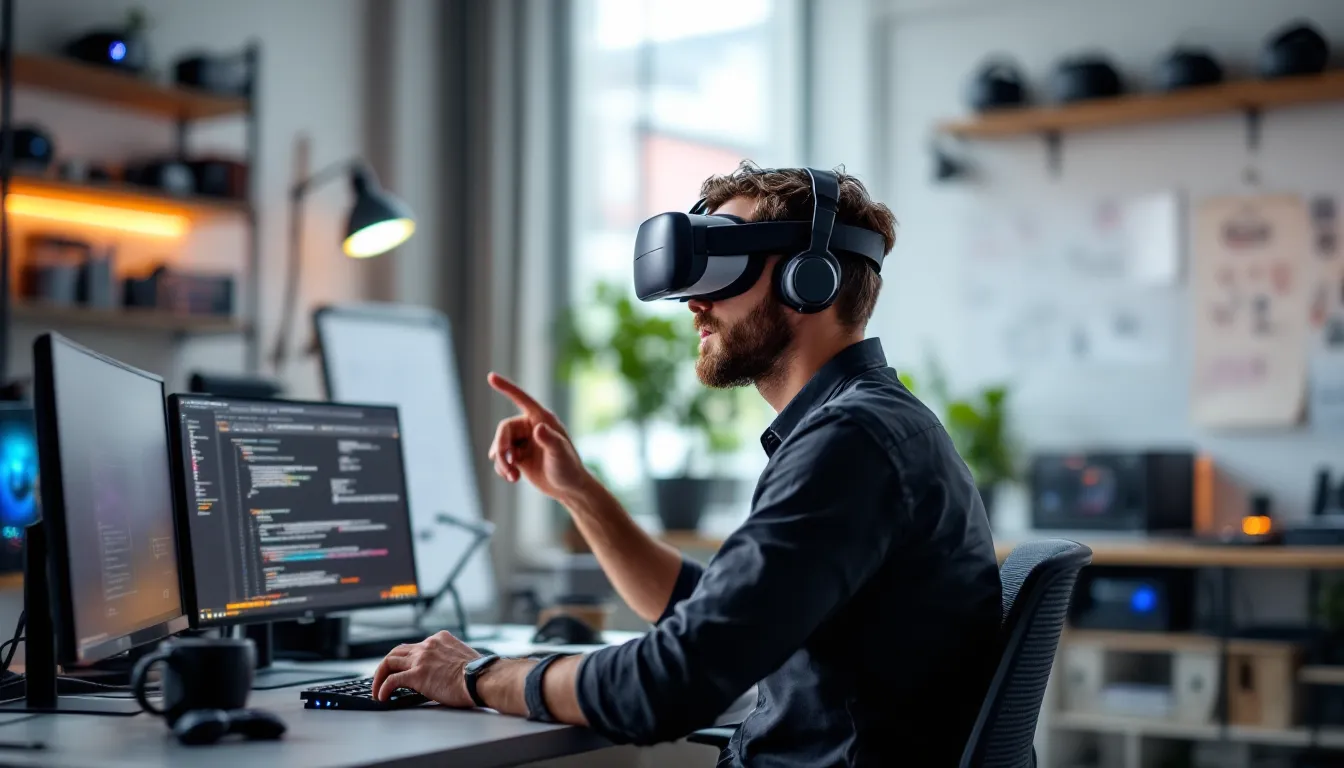
VR Game Development: The Complete 2026 Guide to Building Immersive Virtual Reality Experiences
VR game development isn’t just another niche in the gaming industry anymore, it’s the frontier where innovation meets immersion. With headsets like the Meta Quest 3, PlayStation VR2, and Apple Vision Pro pushing boundaries in 2026, developers have more tools, horsepower, and audience reach than ever before. But building a VR game isn’t like slapping together a traditional PC or console title. The challenges are unique: rendering two viewpoints at 90+ FPS, designing interactions that feel natural in 3D space, and keeping players comfortable enough to avoid the dreaded motion sickness.
Whether you’re a solo indie dev with a wild idea or a studio veteran exploring spatial gameplay, this guide breaks down what you need to know. From selecting the right engine and hardware to mastering optimization tricks that keep frame rates butter-smooth, we’re covering the entire pipeline. No fluff, no marketing speak, just the technical realities, design principles, and workflow strategies that separate clunky VR experiments from genuinely immersive experiences gamers will remember.
Key Takeaways
- VR game development requires maintaining 90+ FPS frame rates and designing for comfort to prevent motion sickness, making performance optimization a non-negotiable design requirement rather than an afterthought.
- Unity and Unreal Engine remain the dominant tools for VR game development, with Unity favoring cross-platform accessibility via OpenXR and Unreal offering superior visual fidelity for high-end headsets.
- Intuitive VR interactions that feel natural in 3D space—like grabbing objects, reloading weapons, and solving puzzles through physics-based systems—create immersion that flatscreen games cannot match.
- Successful VR game development demands aggressive asset optimization, including polycount discipline (50k-100k max per scene), texture compression, and aggressive use of LOD models and baked lighting.
- Multi-platform VR publishing through Meta Quest Store, Steam, PlayStation Store, and emerging platforms like Apple Vision Pro requires platform-specific optimization but maximizes audience reach across the expanding VR install base.
What Is VR Game Development and Why It Matters in 2026
VR game development is the process of creating interactive experiences specifically designed for virtual reality hardware, headsets that track head and hand movement in real-time, rendering stereoscopic 3D visuals to create the illusion of presence inside a virtual world. Unlike traditional games where players interact through a flat screen, VR demands spatial thinking, 360-degree design, and performance standards that would make even a well-optimized PC game sweat.
Why does this matter now? The install base has exploded. Meta shipped over 20 million Quest headsets by late 2025, PlayStation VR2 hit 8 million units, and Apple’s Vision Pro introduced a premium tier with eye-tracking and mixed reality features. Developers no longer face the chicken-and-egg problem of “build for an audience that doesn’t exist.” Gamers are buying in, and they’re hungry for content that justifies their hardware investment.
But it’s not just about audience size. VR unlocks design possibilities that flatscreen games can’t touch. Imagine reloading a gun by physically ejecting a mag and slamming in a fresh one, or solving puzzles by manipulating objects with your hands in true 3D space. Games like Half-Life: Alyx and Resident Evil Village VR proved that immersion isn’t a gimmick, it’s a new language for interaction. Developers who learn to speak it fluently have a shot at defining the next generation of gaming experiences.
Essential Tools and Software for VR Game Development
Building a VR game starts with choosing the right tools. Your engine and hardware stack will dictate everything from your workflow speed to the platforms you can target. Here’s what you need in 2026.
Popular Game Engines for VR Development
Unity remains the most popular choice for VR development, especially for indie and mid-tier studios. Unity’s XR Interaction Toolkit and OpenXR support make cross-platform development relatively painless, build once, deploy to Quest, PSVR2, SteamVR, and more with minimal friction. Unity 2023 LTS and beyond include optimizations specifically for mobile VR chipsets like Snapdragon XR2 Gen 2, which powers Quest 3 and similar standalone headsets. If you’re exploring Unity’s free learning resources, you’ll find a wealth of tutorials tailored to VR.
Unreal Engine 5 is the heavyweight for visual fidelity. Lumen (real-time global illumination) and Nanite (virtualized geometry) push graphical boundaries, but they demand serious hardware. UE5 shines on PC VR and PSVR2 where GPU horsepower isn’t as constrained. Epic’s Blueprint visual scripting lowers the barrier for designers, while C++ gives veterans full control. The tradeoff? File sizes and compile times can balloon fast.
Godot 4 is the dark horse. It’s open-source, lightweight, and increasingly VR-capable thanks to OpenXR integration. Performance won’t match Unity or Unreal out of the gate, but for experimental projects or devs allergic to licensing fees, it’s a solid pick.
VR Development Kits and Hardware You’ll Need
You can’t build for VR without testing in VR. Here’s the core hardware:
- Meta Quest 3: The go-to standalone headset. Snapdragon XR2 Gen 2 chip, pancake lenses, color passthrough for mixed reality. Targeting Quest means accessing the largest VR audience, but you’re locked into mobile-tier performance budgets.
- PlayStation VR2: Tethered to PS5, offering haptic feedback, eye-tracking via foveated rendering, and OLED visuals. If you’re aiming for console gamers, this is your platform. Dev kits require PlayStation Partners registration.
- Valve Index or HTC Vive Pro 2: High-end PC VR with precise tracking and wide FOV. Ideal for testing complex interactions and max-fidelity visuals before scaling down for standalone.
- Apple Vision Pro: Premium mixed reality with eye and hand tracking. The dev ecosystem is still maturing, but if you’re chasing cutting-edge spatial computing, it’s worth experimenting with visionOS SDK.
Don’t sleep on accessories. Hand tracking (built into Quest 3 and Vision Pro) is becoming standard, so design for it alongside controllers. Haptic vests and full-body trackers are niche but growing, Beat Saber modders and VRChat enthusiasts prove there’s demand.
Core Programming Languages for VR Game Creation
Your choice of programming language depends entirely on your engine. Here’s the breakdown:
C# is the language of Unity. It’s approachable for beginners but powerful enough for complex systems. Unity’s scripting API handles VR-specific tasks like headset tracking, hand input, and spatial audio through straightforward function calls. If you’re comfortable with object-oriented programming, C# won’t slow you down. Many developers exploring broader game development fundamentals find C# hits the sweet spot between accessibility and depth.
C++ rules Unreal Engine. It’s faster and gives you low-level control, critical when you’re squeezing every millisecond out of your frame budget to hit 90 FPS. The learning curve is steeper, and compile times can test your patience, but if you’re chasing AAA-quality visuals or need to optimize heavily, C++ is the backbone of high-performance VR.
Blueprint (Unreal’s visual scripting) is technically not a language, but it’s how many designers and artists prototype VR interactions without writing code. You can build entire VR games in Blueprint, though performance-critical sections often get rewritten in C++ later.
GDScript (Godot’s Python-like language) is easy to pick up and integrates tightly with Godot’s scene system. It’s not as performant as C# or C++, but for smaller VR projects or rapid prototyping, it’s efficient.
Platform-specific languages like Swift (for visionOS and Apple Vision Pro development) or Kotlin (for Android-based VR platforms) come into play if you’re building native apps outside traditional game engines. Most devs stick with engines to avoid reinventing the wheel.
Fundamental VR Game Design Principles
VR throws out many conventions of flatscreen game design. Here’s how to design experiences that feel right.
Designing for Comfort and Preventing Motion Sickness
Motion sickness, or VR nausea, is the #1 killer of player retention. It happens when visual motion doesn’t match physical movement. Your inner ear says “I’m standing still,” but your eyes see rapid camera movement. The mismatch triggers nausea fast.
Golden rules to avoid it:
- Never move the camera without player input. Cutscenes that wrestle control from the player are VR poison. If you must move the camera, fade to black or use a vignette effect that shrinks FOV during movement.
- Keep frame rate locked at 90 FPS minimum (120 FPS on capable hardware). Dropped frames cause judder, and judder causes nausea. Performance optimization isn’t optional, it’s a design requirement.
- Offer multiple locomotion options. Teleportation is safest but breaks immersion. Smooth locomotion with snap-turning or comfort vignettes (darkening peripheral vision during movement) works for experienced VR users. Let players choose their comfort level in settings.
- Maintain a stable horizon. Rolling the camera or tilting the world feels disorienting. Keep the up-axis stable unless there’s a compelling gameplay reason (and even then, tread carefully).
Games like Boneworks and Half-Life: Alyx nailed comfort by giving players granular control over movement settings. Study what works and test relentlessly on fresh VR users, they’ll surface nausea triggers veterans ignore.
Creating Intuitive VR Controls and Interactions
In VR, interactions should feel like they obey real-world physics. Players expect to grab, throw, push, and pull objects naturally. Mapping everything to buttons kills immersion.
Best practices:
- Use hand tracking or controller grips for grabbing. Objects should snap to hands convincingly. Add subtle haptic feedback on contact, it sells the illusion.
- Design UI in 3D space, not as floating 2D panels. Diegetic UI (holographic wrist menus, in-world screens) keeps players immersed. Avoid traditional HUDs plastered to the camera.
- Physics-based interactions > animation-driven ones. Let players physically open doors by pushing/pulling, reload guns by grabbing mags from their belt, or solve puzzles by manipulating objects. Games like The Walking Dead: Saints & Sinners prove physics-driven systems create memorable moments.
- Avoid complex button combos. VR controllers have limited inputs compared to gamepads. Keep controls simple and context-sensitive.
Test your interaction design by watching new players. If they instinctively know how to interact with an object without a tutorial, you nailed it.
Spatial Audio and Immersive Sound Design
Spatial audio isn’t a luxury in VR, it’s essential for presence and gameplay clarity. When a zombie growls behind you, players should spin around instinctively because the 3D audio sells the threat.
Unity’s Resonance Audio and Unreal’s Steam Audio plugin handle HRTF (Head-Related Transfer Function) spatilization, simulating how sound waves interact with the human head and ears. Configure these systems to account for room acoustics, occlusion (sound muffled by walls), and distance falloff.
Pro tips:
- Layer ambient sounds in 3D space to build atmosphere. Distant machinery hums, wind through trees, footsteps echoing, these cues orient players.
- Use audio cues for off-screen events. In flatscreen games, UI markers handle this. In VR, a well-placed sound effect directs attention without breaking immersion.
- Test with headphones. Spatial audio falls apart on speakers. Design assuming players are using headphones or the headset’s built-in audio.
Step-by-Step VR Game Development Workflow
Building a VR game follows a similar pipeline to traditional development, but with VR-specific considerations baked into every stage.
Conceptualization and Pre-Production Planning
Start by defining your core mechanic and verifying it’s worth doing in VR. Ask: “Does this gameplay benefit from presence and spatial interaction, or would it work just as well on a flatscreen?” If the answer is the latter, reconsider. VR development is more resource-intensive than traditional games, make sure the immersion payoff justifies the effort.
Key pre-production tasks:
- Target platform selection. Standalone (Quest) vs. PC VR vs. PSVR2 dictates your performance budget and input options. Multi-platform is possible but adds QA complexity.
- Scope ruthlessly. VR development is slower. A 10-hour VR game takes significantly more time than a 10-hour flatscreen game due to interaction polish and optimization. Start small.
- Reference existing VR games. Play titles in your genre. Note what feels good, what causes discomfort, and where interactions shine. Sites like DSOGaming frequently cover VR performance benchmarks and optimization breakdowns.
Prototyping and Testing Your VR Mechanics
Prototyping in VR is non-negotiable. What looks cool on a monitor might feel awkward in the headset. Build rough greybox environments and test core interactions immediately.
Prototyping checklist:
- Test scale early. VR reveals bad scaling fast. A doorway that looks fine on a monitor might feel claustrophobic or oversized in VR. Use real-world measurements (1.8m-2m for doorways, etc.).
- Iterate on locomotion and interaction. Get these right before building content. If your grab mechanic feels off, everything built on top of it will suffer.
- Playtest with varied VR experience levels. Veterans tolerate aggressive movement: newcomers need hand-holding. Design for the lowest common denominator, then add advanced options.
Use asset store placeholder models and focus purely on feel. Polish visuals later. If your game development process emphasizes rapid iteration, prototyping in VR will feel familiar, just slower and with more headset swapping.
Full Production and Asset Development
Once core mechanics are locked, shift to asset creation and level building. VR asset pipelines have unique constraints:
- Polycount discipline. You’re rendering every frame twice at high resolution and frame rate. Mobile VR (Quest) is especially brutal, aim for 50k-100k polys per scene max. Use LODs (Level of Detail models) aggressively.
- Texture optimization. Compress textures heavily. Tools like How-To Geek’s optimization guides often cover texture compression workflows applicable to VR development.
- Modular design. Reuse assets. A single high-quality door model used 50 times is smarter than 50 unique mediocre doors.
For audio, record or license high-quality spatial sound effects. Mono audio works for traditional games: in VR, stereo and ambisonic recordings are crucial.
Iterate continuously. Build a section, test in headset, refine. VR doesn’t forgive “we’ll fix it later” assumptions.
Optimization Techniques for Smooth VR Performance
Hitting 90 FPS (or 120 FPS on high-end headsets) isn’t a nice-to-have, it’s mandatory. Here’s how to get there.
Rendering optimizations:
- Single-pass stereo rendering (Unity) or instanced stereo rendering (Unreal) renders both eye views in one pass instead of two, nearly halving GPU load.
- Foveated rendering uses eye-tracking (PSVR2, Vision Pro) to render the center of your gaze at full resolution and blur periphery. Frame rate gains are massive, 30-40% in some cases.
- Occlusion culling stops the GPU from rendering objects hidden behind walls or outside the player’s view frustum. Unity’s baked occlusion culling and Unreal’s software occlusion work well.
- Draw call batching. Merge objects with the same material into single draw calls. GPU-instancing for repeated objects (trees, rocks) saves huge overhead.
Asset-level tricks:
- LODs everywhere. Swap high-poly models for low-poly versions at distance. Players won’t notice if done right.
- Baked lighting over real-time. Dynamic lights tank frame rate. Use lightmaps and light probes for static scenes. Reserve real-time lights for critical gameplay elements (flashlights, explosions).
- Texture atlasing. Combine multiple textures into one atlas to reduce texture swaps and draw calls.
Code optimization:
- Profile constantly. Unity Profiler and Unreal’s stat commands reveal bottlenecks. CPU-bound? Optimize scripts and physics. GPU-bound? Reduce polys and shaders.
- Avoid physics calculations every frame. Cache results, use simpler collision meshes, and disable physics on distant objects.
- Minimize garbage collection spikes (Unity C#). Preallocate object pools instead of instantiating/destroying objects mid-game.
Platform-specific tweaks:
- Quest development demands mobile optimization mindset. Use Qualcomm’s Snapdragon Profiler for deep GPU analysis.
- PSVR2 benefits from Sony’s foveated rendering SDK, integrate it early. PC VR has more GPU headroom, but don’t waste it. Keep optimization tight so you can push visual quality.
Test on target hardware constantly. A game running smoothly on your dev rig might chug on actual consumer hardware. Performance analysis tools from sites like WCCFTech often benchmark VR hardware and reveal real-world performance ceilings.
Common VR Development Challenges and How to Overcome Them
Every VR project hits snags. Here are the frequent offenders and how to handle them.
Challenge: Players getting sick even though following comfort guidelines.
Solution: Test with a wider range of users. Some people are just more sensitive. Offer aggressive comfort options (teleport-only, snap-turn intervals) and warn about motion intensity upfront. Add comfort ratings to your store page so players know what they’re getting into.
Challenge: Interactions feel floaty or disconnected.
Solution: Tighten physics constraints and add haptic feedback. Even subtle controller rumble on object contact sells physicality. Use Unity’s Joint system or Unreal’s Physics Constraints to make grabbable objects respond naturally to hand movement. Study how Boneworks handles physics, it’s the gold standard.
Challenge: UI text is unreadable in VR.
Solution: Increase font size dramatically (14pt minimum, 18-24pt ideal). Use high-contrast colors and avoid thin fonts. Position UI at least 1-2 meters from the player’s face. Test on actual headsets, not your monitor, text clarity varies wildly across devices.
Challenge: Frame rate drops during complex scenes.
Solution: Profile and identify the bottleneck. Usually it’s too many draw calls, unoptimized shaders, or real-time lighting. Carry out aggressive LODs, bake lighting, and reduce polycount. If you’re building for Quest, check asset counts constantly, one poorly optimized model can tank the whole scene.
Challenge: Cross-platform compatibility headaches.
Solution: Use OpenXR as your API layer. It abstracts hardware differences so code written for one headset works on others with minimal tweaks. Unity’s XR Interaction Toolkit and Unreal’s OpenXR plugin handle most of the heavy lifting. Test on all target platforms regularly, quirks emerge late if you don’t.
Challenge: Asset creation takes forever.
Solution: Use procedural generation where appropriate (terrain, foliage), buy quality asset packs, and reuse assets creatively. Modular kits let you build varied environments from a small set of pieces. Don’t reinvent the wheel, unless your game’s identity depends on unique art, leverage existing resources.
Publishing and Distributing Your VR Game
You’ve built your VR game. Now you need to get it in front of players.
Choosing the Right VR Platforms and Storefronts
Meta Quest Store is the biggest VR storefront by install base. Getting approved requires an application process, submit a build, demo video, and pitch. Meta curates heavily, so polish matters. App Lab (their less-curated channel) offers an easier entry point but less visibility.
Steam is the PC VR hub. Listing on Steam is straightforward via Steamworks, and the platform supports all major PC VR headsets (Index, Vive, Rift, WMR). Steam’s discoverability tools (tags, recommendations, wishlists) are solid if you build momentum.
PlayStation Store requires PlayStation Partners registration and a dev kit. Sony’s QA process is strict, but reaching console VR gamers (a more mainstream audience) is worth the friction.
SideQuest (Quest) and itch.io work for experimental or niche projects. SideQuest caters to enthusiasts willing to sideload apps, while itch.io offers DRM-free distribution for indie devs.
Apple Vision Pro App Store targets mixed reality and premium experiences. Submit via Xcode and Apple’s visionOS SDK. The audience is smaller but affluent, early adopters willing to pay premium prices for quality content.
Multi-platform launches maximize reach but increase QA and support overhead. Choose platforms based on your target audience and resources. For those just getting into game development, starting with Steam or App Lab offers the lowest friction.
Marketing Your VR Game to Gamers and Enthusiasts
VR marketing is niche but passionate. Here’s how to reach players:
Build in public. Share dev logs on Reddit (r/virtualreality, r/oculus, r/PSVR), Twitter/X, and YouTube. VR communities love seeing behind-the-scenes development. Post gifs of cool interactions, physics moments, or visual progress.
Capture compelling footage. Mixed reality trailers (showing a player in the real world interacting with the VR game via passthrough or green screen) are effective. Pure in-game footage works too, but avoid shaky cam, smooth, cinematic recordings sell better.
Target VR influencers and content creators. Send keys to YouTubers and Twitch streamers who cover VR. Channels like Thrillseeker, PSVR Without Parole, and Nathie reach dedicated VR audiences. A single feature video can drive hundreds of wishlists.
Participate in VR showcases. Events like Upload VR Showcase, Steam Next Fest, and PAX VR sections offer visibility. Demos are crucial, VR games sell better when players can try before buying.
Leverage store page optimization. Use accurate tags, compelling descriptions, and high-quality screenshots/videos. On Steam, wishlists drive algorithm visibility, so build hype pre-launch.
Community engagement. Join Discord servers focused on VR development and gaming. Share progress, get feedback, and build a following before launch. VR gamers are early adopters who champion games they believe in.
Pricing is tricky. VR games often command premium prices ($20-40) compared to flatscreen indies due to smaller audience and higher dev costs. Study your competition and don’t undervalue your work, but be realistic about market size.
Future Trends in VR Game Development for 2026 and Beyond
VR development is accelerating. Here’s what’s shaping the next few years.
Eye-tracking and foveated rendering are going mainstream. PSVR2 and Vision Pro proved the tech works. Expect more headsets to integrate eye-tracking for both performance (foveated rendering cuts GPU load) and interaction (gaze-based UI, social cues in multiplayer). Developers who design for eye-tracking now will have a head start.
Hand tracking is replacing controllers. Quest 3 and Vision Pro ship with hand tracking out of the box. Games like The Walking Dead: Saints & Sinners added hand tracking modes post-launch. Future VR games will likely support both input methods, with hand tracking becoming the default for casual players.
Mixed reality (MR) is blurring the VR/AR line. Passthrough cameras let players see the real world blended with virtual objects. Games like Demeo and Spatial Ops use MR for tabletop and room-scale gameplay. Designing for MR means considering real-world room layouts and lighting conditions, a new challenge.
AI-driven NPCs and procedural content are leveling up. Generative AI can create dialogue, animate characters, and even build levels. Expect VR games to experiment with AI companions that react naturally to player behavior, making solo VR feel less lonely.
Social VR and multiplayer are maturing. VRChat, Rec Room, and Horizon Worlds proved players crave social interaction in VR. Future VR games will increasingly incorporate multiplayer, co-op, and persistent social spaces. Cross-play between PC and standalone headsets is becoming table stakes.
Standalone headsets are overtaking PC VR. Meta Quest’s wireless freedom and lower price point dominate sales. PC VR offers better visuals, but convenience wins for most consumers. Developers should prioritize standalone performance and treat PC VR as the high-fidelity option, not the baseline.
VR esports and competitive gaming are emerging. Pavlov VR, Contractors, and Echo VR (RIP, still missed) showed competitive VR has an audience. Expect more arena shooters, rhythm games, and sports sims designed for competitive play. Spectator tools (third-person camera views, instant replays) will improve as esports interest grows.
Staying current means following VR-focused sites, dev blogs from Meta and Sony, and experimenting with new SDKs as they drop. VR development in 2026 is far from solved, plenty of room for innovation.
Conclusion
VR game development in 2026 sits at a sweet spot: hardware is mature enough to support ambitious projects, audiences are growing, and the tools are accessible. But it’s not a free ride. Building for VR demands technical discipline, design empathy, and relentless iteration. Frame rate isn’t negotiable. Comfort isn’t optional. Interactions need to feel real, not mapped awkwardly from flatscreen conventions.
Start small, test constantly, and don’t skimp on optimization. Whether you’re targeting Quest’s massive install base, pushing visual boundaries on PSVR2, or experimenting with mixed reality on Vision Pro, the fundamentals stay the same: respect the player’s physical comfort, design for presence, and make every interaction count. The developers who nail those principles are the ones creating the VR games people can’t stop talking about. Now go build something that makes players forget they’re wearing a headset.