
Game Development Pipeline: Your Complete Guide to Building Games from Concept to Launch in 2026
Ever wonder why some games launch polished while others crash harder than a broken speedrun? The difference isn’t just budget, it’s the game development pipeline. This systematic workflow guides every title you’ve played, from pixel-art indies to sprawling AAA epics, through distinct phases that transform concept art into the final product.
Understanding this pipeline does more than satisfy curiosity. For gamers eyeing a career in development, it maps the journey ahead. For competitive players, it explains why balance patches take weeks and why “just fix the bug” isn’t simple. And for everyone who’s followed a game from announcement to launch, it reveals what happens behind those cryptic developer diaries and roadmap updates.
This guide breaks down the complete 2026 game development pipeline, the stages, tools, and processes that shape modern gaming. Whether you’re comparing indie hustle to AAA production lines or wondering why your favorite game’s DLC took eight months, you’ll find answers here.
Key Takeaways
- The game development pipeline is a structured workflow that flows through pre-production, production, testing, post-production, and launch, with iteration cycles and feedback loops built in at every stage.
- Game development pipeline stages differ dramatically between indie teams and AAA studios—indie developers collapse timelines and wear multiple roles, while AAA teams spend years in pre-production and deploy hundreds of specialized staff across departments.
- Understanding the pipeline explains common player frustrations like day-one patches, delayed DLC, balance changes, and performance bottlenecks, which are predictable outcomes of certification timelines and post-production optimization.
- Modern tools like Unreal Engine 5, Git version control, FMOD audio middleware, and analytics platforms enable remote collaboration and automate testing, preventing regression bugs and accelerating the development process.
- Live-service games require robust post-launch infrastructure for seasonal content, battle passes, and hotfixes baked in from pre-production, fundamentally changing how the pipeline prioritizes testing and server scalability.
- Platform-specific optimization demands separate passes for console performance targets, PC scalability across diverse hardware, and mobile compression, making cross-platform development require tailored approaches for each environment.
What Is a Game Development Pipeline?
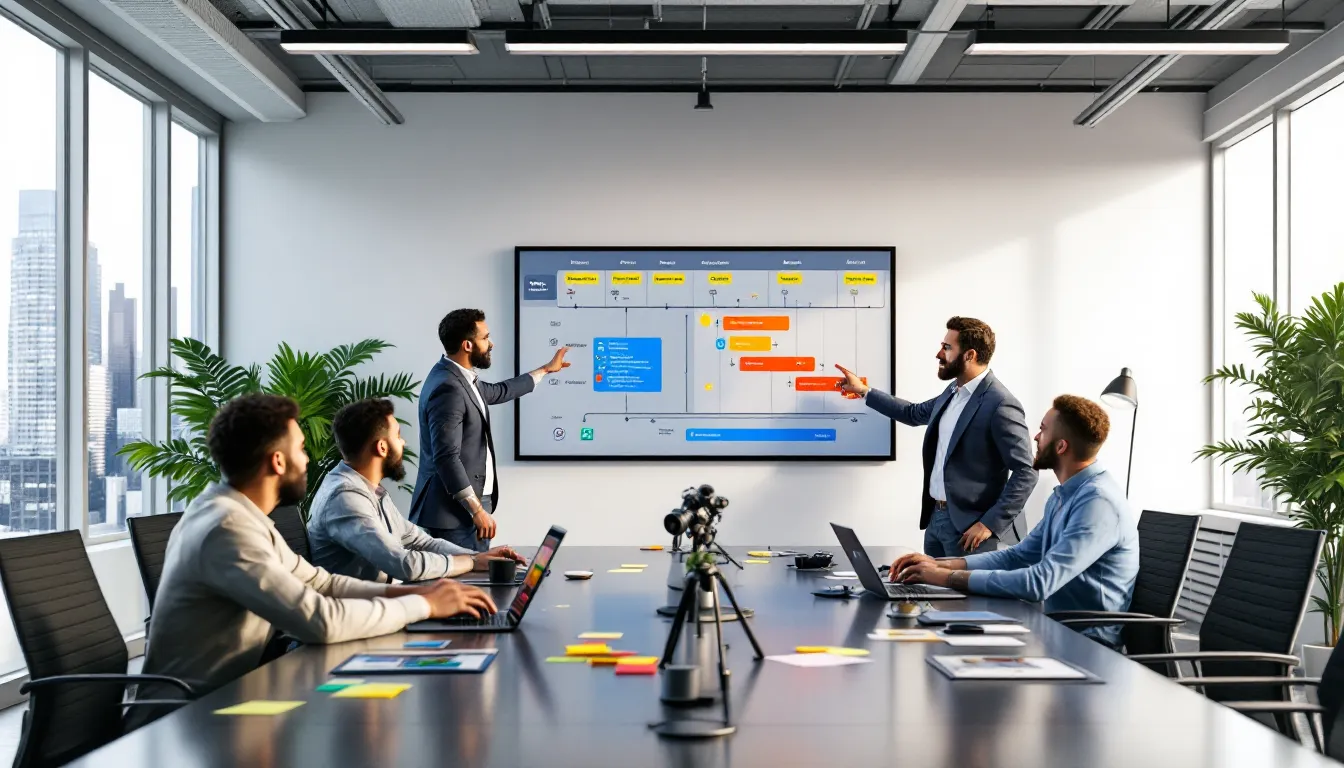
A game development pipeline is the structured sequence of stages that takes a game from initial idea to playable release. Think of it as an assembly line, but for interactive entertainment, each phase feeds into the next, with iteration loops and feedback cycles built in.
The pipeline typically flows through pre-production, production, testing, post-production, and launch. Each stage has distinct goals, team compositions, and deliverables. Pre-production focuses on proving the concept works. Production builds the actual game. Testing hunts bugs and balance issues. Post-production polishes performance. Launch puts it in players’ hands and keeps it alive.
What makes pipelines interesting is how they adapt. A solo indie developer might collapse pre-production into a weekend game jam and handle production in Unity over six months. Meanwhile, a AAA studio could spend two years in pre-production alone, building vertical slices and pitch decks before greenlighting full production with 300+ staff.
The pipeline isn’t strictly linear either. Modern development uses agile methodologies, sprints, scrums, and continuous integration, that allow teams to prototype, test, and refine simultaneously. A level designer might be building World 3 while QA tests World 1 and programmers optimize the rendering engine.
Different genres also warp the pipeline. Live-service games like battle royales need robust post-launch infrastructure baked in from day one. Narrative-driven RPGs front-load writing and branching dialogue systems. Competitive shooters obsess over netcode and TTK balance early, because those fundamentals can’t be patched in later without breaking the meta.
Why Understanding the Pipeline Matters for Gamers and Aspiring Developers
For aspiring developers, knowing the pipeline is like learning the map before dropping into a match, you won’t get lost when things heat up. It clarifies which skills matter at which stage. If you’re a 3D artist, you’ll thrive in production. If you’re a systems designer obsessed with mechanics, pre-production prototyping is your playground.
The pipeline also demystifies job roles. Environment artists don’t just “make pretty backgrounds”, they’re building assets optimized for real-time rendering, collaborating with level designers on sightlines and cover placement, and adjusting LOD models based on QA performance reports. Understanding the full workflow reveals how interconnected every role is.
For gamers, pipeline knowledge explains the “why” behind common frustrations. When a hyped game gets delayed three months before launch, it’s usually post-production optimization hitting snags, performance on base consoles, crash bugs in specific hardware configs, or day-one patch certification with platform holders. These aren’t excuses: they’re predictable pipeline bottlenecks.
It also contextualizes patch cadence and content drops. Live-ops teams work months ahead of players, developing seasonal content while monitoring live metrics. That “sudden” nerf to your main didn’t happen overnight, it was debated in balance meetings, tested internally, and queued in a patch pipeline that accounts for certification timelines on PlayStation, Xbox, and Steam.
Finally, understanding pipelines makes you a better game critic. You’ll recognize when a game shipped with solid core mechanics but unfinished content (production ran long, post-production got crunched). You’ll spot the difference between ambitious scope that worked (strong pre-production) and feature creep that didn’t (weak pipeline management). The games you love didn’t happen by accident, they followed a disciplined process, even when that process looked chaotic from outside.
Pre-Production: Laying the Foundation
Concept Development and Design Documents
Pre-production starts with the spark: a genre twist, a narrative hook, or a mechanical innovation. This phase is about validating whether that spark can fuel a full game. Studios generate design documents, GDDs (Game Design Documents), technical design docs, and art bibles, that capture the vision before a single asset gets built.
A GDD outlines core loops, progression systems, and player goals. For a roguelike deckbuilder, it defines how many cards per run, deck size limits, meta-progression currencies, and win conditions. For a narrative adventure, it maps story beats, dialogue trees, and player choice consequences. These aren’t novels, good GDDs are scannable references with diagrams, flowcharts, and bullet-point mechanics.
Technical design docs answer “can we build this?” They evaluate engine capabilities (Unreal 5’s Nanite for high-poly environments, Unity’s DOTS for massive simulations), target platforms (does this run at 60fps on Switch?), and toolchain needs (custom editors for procedural generation, middleware for facial animation).
Art direction crystallizes here too. Concept artists produce mood boards, character sketches, and environment studies that define the visual language. Is this stylized cell-shading like Borderlands, photorealistic like The Last of Us, or pixel-art like Celeste? Lock that down now, because pivoting mid-production burns months.
Crucially, pre-production is where scope gets negotiated. A team of five can’t build a 100-hour open-world RPG in two years. Design docs force honest conversations about what’s achievable with available time, budget, and talent.
Prototyping and Proof of Concept
Documents prove nothing until a prototype demonstrates the fun. Prototyping builds the core loop in its roughest form, placeholder art, basic physics, one mechanic polished enough to feel good. If it’s a platformer, can you nail the jump arc and coyote time? If it’s a shooter, does the gunplay feel punchy?
Prototypes answer critical questions. Does the camera system work in tight corridors? Does RNG generation create interesting level variety or frustrating dead ends? Can the AI pathfinding handle dynamic destructible cover? These aren’t hypotheticals, they’re testable within weeks using engine prototypes.
Many prototypes get scrapped. That’s the point. Better to kill a bad mechanic after two weeks of prototyping than six months into production. Studios often build multiple prototypes in parallel, three different combat systems, four control schemes, and playtest internally to see what clicks.
Proof of concept goes further: it’s a vertical slice, a polished segment that represents the final quality bar. Publishers and stakeholders need to see it to greenlight full production. For crowdfunding campaigns, vertical slices become Kickstarter demos. For pitch meetings, they’re playable evidence that the team can deliver.
Indie developers, especially solo devs, often blend prototyping with production. They’ll build a functional core, release it in early access, and iterate based on player feedback. That’s a valid pipeline variation, though it risks scope creep if the vision isn’t locked down.
Team Assembly and Resource Planning
Once the concept is validated, pre-production shifts to logistics. Who’s building this, with what budget, on what timeline? Studios assemble core teams, leads for programming, art, design, and audio, and map dependencies. Can’t start level design without a working movement system. Can’t finalize character models without locked art direction.
Resource planning includes hiring or contracting specialists. Need a narrative designer for branching dialogue? A technical artist for shader work? A sound engineer experienced with adaptive music systems? These roles get defined and budgeted now.
Milestone schedules emerge from these conversations. Pre-production might target three months to vertical slice, twelve months to alpha, eighteen to beta, and twenty-four to launch. Each milestone has deliverables: alpha means core features playable end-to-end, beta means content-complete, and gold master means shippable.
Budget realities shape scope. If a studio has $500K for an indie project, that dictates team size (maybe four full-time for two years) and constraints (limited voice acting, procedural content over handcrafted levels, stylized art to avoid expensive photorealism). AAA projects with $50M+ budgets can afford motion capture, licensed music, and hundreds of unique assets.
Risk assessment happens here too. What are the technical unknowns? Multiplayer netcode for a competitive shooter is riskier than single-player AI. Cross-platform play between PC and consoles adds certification complexity. Identifying risks early lets teams prototype solutions or pivot scope before production locks them in.
Production: Building the Game
Asset Creation: Art, Models, and Animation
Production is where the art team goes into overdrive. Concept art becomes 3D models, characters, props, environments, UI elements. Each asset follows a pipeline: high-poly sculpt in ZBrush or Blender, retopology for game-ready meshes, UV unwrapping, texture baking (normal maps, albedo, roughness), and finally import into the engine with LOD variants.
Character models often require the most iteration. A hero character might go through a dozen sculpt revisions, rig adjustments for animation compatibility, and texture passes to match lighting in different environments. Studios use PBR (Physically Based Rendering) workflows to ensure materials look consistent under varied lighting, metal reflects light accurately, fabric absorbs it, skin has subsurface scattering.
Animation pipelines depend on the game’s needs. AAA titles use motion capture, actors in suits performing combat, parkour, or dialogue scenes, then animators clean up the data, add secondary motion (cloth, hair physics), and blend animations into state machines. Indie teams often hand-animate in Blender or use procedural animation for creatures.
Environment art scales differently. Open-world games lean on modular asset kits, a set of wall pieces, floor tiles, and props that level designers rearrange into unique locations. Procedural generation tools like Houdini create variation (scattered rocks, foliage placement) without hand-placing every tree. Linear games can afford more bespoke setups, with every room meticulously detailed.
UI and UX design happens in parallel. Menus, HUD elements, inventory screens, these need wireframes, mockups, and iteration based on usability testing. A cluttered HUD kills immersion: a confusing inventory system frustrates players. Good UI is invisible until it’s bad.
Programming and Engine Implementation
While artists build assets, programmers make the game function. Engine implementation covers gameplay systems (movement, combat, inventory), backend services (matchmaking, leaderboards, cloud saves), and tool development (custom editors for designers, asset importers, build automation).
Gameplay programming is where mechanics come alive. That design doc describing a grappling hook? Programmers code the raycast detection, swing physics, camera adjustments, and edge-case handling (what if the player grapples mid-air? During a stun? Off a moving platform?). They collaborate closely with designers, tweaking variables, grapple range, swing speed, cooldown, until it feels tight.
Engine choice matters hugely here. Unreal Engine 5’s Blueprint visual scripting lets designers prototype without code, while C++ programmers optimize performance-critical systems. Unity’s flexibility supports rapid iteration but requires more custom tooling. Proprietary engines (like those used by studios for specific game development needs) offer tailored workflows but demand larger engineering teams.
Networking code is its own beast for multiplayer games. Client-server architecture, lag compensation, anti-cheat integration, and tick-rate optimization, these systems require specialized expertise. A competitive shooter needs server-authoritative hit detection to prevent cheating, which complicates client prediction and rollback netcode. Getting this wrong results in hit-reg complaints and “I shot first” debates.
Build pipelines automate testing and deployment. Continuous integration systems compile the game nightly, run automated tests (does the game crash on startup? Do core mechanics still work?), and flag regressions. This prevents one programmer’s change from breaking another’s feature, which becomes critical when teams hit dozens of contributors.
Sound Design and Music Integration
Audio often gets underrated, but it sells immersion harder than visuals. Sound designers create everything players hear, footsteps on different surfaces, weapon fire with distinct acoustic profiles, ambient environmental loops, UI feedback clicks, and dialogue processing.
Adaptive music systems layer tracks based on gameplay state. Combat music intensifies when enemies are near, fades during exploration, and swells during boss encounters. Middleware like FMOD or Wwise lets audio designers script these transitions without hardcoding every scenario. They define parameters (player health, enemy count, story flags) that trigger musical shifts dynamically.
Voice acting pipelines involve casting, recording sessions, and integration. AAA games record thousands of lines, requiring casting directors, union actors, and localization for multiple languages. Indie games might use text-to-speech, hire freelance voice talent from platforms like community casting resources, or skip VO entirely and rely on text.
Sound implementation requires technical collaboration. Programmers expose events (player jumps, enemy dies, door opens) that trigger audio cues. Audio designers tune volume curves, reverb zones, and occlusion, sounds muffled behind walls, echoing in caves, dampened underwater. Getting environmental acoustics right makes worlds feel real.
Performance optimization matters here too. Streaming too many high-res audio files tanks load times. Compression balances file size against quality. Dynamic mixing ensures critical sounds (enemy footsteps, ability callouts) don’t drown under music and ambience.
Level Design and World Building
Level designers take modular assets and build playable spaces. For linear games, that means pacing encounters, guiding player attention with lighting and composition, and hiding loading zones behind corridors. For open-world games, it’s creating density, points of interest, traversal routes, and emergent scenario setups that reward exploration.
Good level design teaches mechanics through environmental storytelling. A gap too wide to jump becomes jumpable after acquiring double-jump. A locked door hints at a key elsewhere. Enemy placements telegraph ambushes (scuff marks, audio cues) so attentive players aren’t blindsided unfairly.
Blockout comes first, greybox geometry testing flow and sightlines without final art. Designers playtest blockmesh levels to refine pacing before artists spend weeks beautifying spaces. Once flow works, art passes add detail: decals, props, lighting, particle effects. This layered approach prevents wasted effort if a level gets cut or redesigned.
Multiplayer map design balances symmetry (for fairness in competitive modes) against asymmetry (for variety). Sightlines control engagement ranges, long corridors favor snipers, tight corners favor shotguns. Spawn logic prevents players from appearing in enemy crosshairs. Competitive games obsess over these details because bad map design warps the meta.
Proceduralgeneration pipelines use algorithms to create content. Roguelikes randomize room layouts within design constraints (always include a shop, never spawn a boss immediately). Open-world games procedurally scatter foliage, rocks, and resource nodes. Designers author rulesets and templates, then let the system generate variation, which they curate and refine.
Testing and Quality Assurance Throughout Development
Alpha and Beta Testing Phases
Alpha marks the transition from “building features” to “making it stable.” The game is playable end-to-end, even if content is incomplete and bugs are rampant. Internal alpha builds circulate among the dev team and QA testers, who bash against every system to find crashes, broken logic, and missing fail-safes.
Alpha testing focuses on core functionality. Can players complete the critical path? Does saving and loading work? Are progression blockers (quests that won’t complete, doors that won’t open) identified and logged? QA testers play repetitively, trying to break the game, save-scumming, sequence-breaking, clipping through geometry.
Beta expands testing beyond internal teams. Closed betas invite select players under NDA. Open betas stress-test servers and gather feedback at scale. Developers monitor telemetry, heat maps showing where players die, analytics on average session length, drop-off points in tutorials. This data exposes design flaws invisible during internal testing.
Multiplayer betas are crucial for balancing. A weapon that seems fine in controlled QA matches might dominate in public games once the meta evolves. Beta feedback guides nerfs, buffs, and systemic tweaks before launch cements player expectations.
Some studios run technical betas focused purely on performance and compatibility. They test across GPU/CPU configurations, monitor frame rates and crashes, and optimize for minimum spec. This prevents launch-day disasters where the game runs great on dev hardware but tanks on mainstream PCs or base consoles.
Bug Tracking and Iteration Cycles
Bugs get logged in tracking systems like Jira or DevTrack, categorized by severity. Crash bugs (game unplayable) are priority one. Gameplay bugs (broken mechanics, exploits) follow. Visual glitches (clipping textures, animation jank) and minor issues (typos, UI misalignment) get lower priority but still get logged.
Reproduction steps are critical. A bug report saying “game crashed” is useless. A report detailing “crashed when equipping legendary shotgun while standing in water during a boss fight” gives programmers a starting point. QA teams are essentially investigative journalists, documenting the exact conditions that trigger issues.
Iteration cycles involve triage meetings where leads decide what gets fixed, what gets deferred, and what’s accepted as “won’t fix.” Not every bug is worth delaying launch, cosmetic issues in obscure menus might ship as-is if fixing them risks introducing new problems.
Regression testing ensures fixes don’t break other systems. A patch that solves a quest bug might inadvertently break saving. Automated test suites catch some regressions, but human QA testers recheck critical paths after every build.
Day-one patches are controversial but common. Certification with platform holders (Sony, Microsoft, Nintendo) takes weeks, during which developers keep fixing bugs. Those post-certification fixes become day-one patches, downloadable at launch. It’s not ideal, but it’s pipeline reality in 2026.
Post-Production: Polish and Optimization
Performance Optimization Across Platforms
Post-production is crunch time for optimization. The game works, but does it hit performance targets? For console titles, that’s locked 60fps (or 120fps for competitive shooters) at target resolution. For PC, it’s scalable settings that work on minimum spec without looking terrible.
Profiling tools identify bottlenecks. Is the GPU overloaded by draw calls? CPU choked by AI pathfinding? Memory leaking from unoptimized textures? Graphics programmers optimize shaders, carry out occlusion culling (don’t render what players can’t see), and adjust LOD distances. Small studios researching hardware optimization techniques often find insights into GPU performance tweaks and rendering improvements.
Console optimization requires platform-specific tuning. PlayStation 5’s SSD enables faster asset streaming, but developers need custom I/O code to leverage it. Xbox Series S has less RAM than Series X, requiring lower-res textures or aggressive asset streaming. Switch demands the most compromise, reduced draw distance, simplified shaders, lower frame rates.
Cross-platform games often ship with multiple graphics modes: performance mode (higher FPS, lower fidelity), quality mode (better visuals, 30fps), and sometimes ray-tracing modes. Each requires separate optimization passes and QA validation.
Loading times get scrutinized. Players tolerate 15-second loads more than 90-second slogs. Developers compress assets, optimize level streaming, and carry out loading screen minigames or lore tips to mask delays. On PC, optimizing for HDD users while not bottlenecking SSD users is a delicate balance.
Final Bug Fixes and Balance Adjustments
Even after beta, critical bugs surface. Post-production squashes the worst offenders while avoiding new risks. Fixes target game-breaking issues, save corruption, soft locks, crash-to-desktop errors on common hardware.
Balance adjustments refine competitive games. If beta data shows one character winning 60% of matches, that’s a nerf candidate. If a weapon has a 2% pick rate, buffs or redesigns follow. Balancing competitive titles involves analyzing community feedback and meta trends to ensure fairness.
Narrative games polish pacing and dialogue. Writers revise lines that playtesters found confusing. Editors tighten cutscenes that dragged. Voice actors re-record awkward deliveries. These tweaks seem minor but compound into smoother experiences.
Accessibility features often get finalized here, colorblind modes, remappable controls, subtitle customization, difficulty options. These weren’t afterthoughts: they were planned earlier but polished now based on feedback.
Certification with platform holders is the final gate. Sony, Microsoft, and Nintendo have checklists: the game must boot, handle disconnected controllers, display required legal notices, and meet performance minimums. Failed certification sends the game back for fixes, delaying launch.
Launch and Post-Launch: Getting Your Game to Players
Marketing, Distribution, and Community Building
Launch isn’t the finish line, it’s another pipeline phase. Marketing ramps months before release: trailers, influencer partnerships, press previews, and social media campaigns. Publishers coordinate review embargoes and launch events to maximize visibility.
Distribution varies by platform. PC games launch on Steam, Epic Games Store, GOG, or itch.io, each with different revenue splits and feature sets. Console games require publisher agreements with Sony, Microsoft, or Nintendo. Mobile games hit App Store and Google Play, navigating their approval processes and monetization policies.
Community building starts before launch. Studios cultivate Discord servers, Reddit communities, and social channels where players discuss the game, share feedback, and hype each other up. Active community management, responding to questions, addressing concerns, sharing dev updates, builds goodwill that pays off when bugs inevitably surface post-launch.
Review scores and word-of-mouth drive initial sales. A strong Metacritic score (75+ for indies, 85+ for AAA) boosts visibility. Negative reviews citing bugs or performance issues tank momentum. That’s why post-production polish is critical, you don’t get a second chance at launch impressions.
Influencers and streamers amplify reach. A popular streamer playing your game to 50K viewers can spike wishlists overnight. Some studios seed early copies to content creators, betting on organic buzz. Others sponsor streams or run creator programs with exclusive cosmetics.
Live Operations, Updates, and DLC
Post-launch, the game enters live operations. For single-player titles, that might mean a couple of bug-fix patches and calling it done. For live-service games, it’s an ongoing content pipeline: seasonal updates, battle passes, limited-time events, and balance patches.
Live-ops teams monitor player behavior. Drop-off rates after the tutorial? Redesign it. Specific level causing rage-quits? Adjust difficulty. Exploits breaking competitive modes? Hotfix immediately. Telemetry informs these decisions, data on what players do, not just what they say in forums.
DLC (downloadable content) extends the game’s lifespan. Story expansions, new characters, cosmetic packs, these generate revenue and keep communities engaged. DLC follows its own mini-pipeline: concept, production, testing, and release. Well-timed DLC drops revive player counts months after launch.
Community feedback loops into updates. Players request features, report bugs, and suggest balance changes. Developers prioritize based on impact and feasibility. Transparent roadmaps, showing planned updates and features, manage expectations and maintain trust.
Server infrastructure is critical for always-online games. Outages during peak hours or launch-day server meltdowns damage reputation. Studios scale server capacity, carry out queue systems, and monitor performance 24/7. Cloud services like AWS GameLift or Azure PlayFab simplify scaling but add recurring costs.
Common Pipeline Tools and Technologies in 2026
Modern pipelines rely on specialized tools across every discipline. Game engines, Unreal Engine 5, Unity 6, Godot 4, provide the foundation. Unreal’s Nanite and Lumen enable photorealistic visuals and dynamic lighting without manual optimization. Unity’s versatility supports everything from mobile hyper-casual games to VR experiences. Godot’s open-source model attracts indie developers seeking full control without licensing fees.
Version control keeps teams synchronized. Git with hosting on GitHub, GitLab, or Bitbucket tracks code changes. Perforce handles large binary files (textures, models, audio) better than Git, making it AAA’s go-to for asset management. Version control prevents developers from overwriting each other’s work and enables rollback when features break.
Project management tools like Jira, Trello, or Notion organize tasks, sprints, and milestones. Teams track who’s working on what, dependencies between tasks, and progress toward deadlines. These tools integrate with communication platforms like Slack or Discord, centralizing updates.
3D modeling and animation pipelines use Blender (free, increasingly AAA-capable), Maya (industry standard for animation), and ZBrush (high-poly sculpting). Substance Painter handles PBR texturing. Houdini generates procedural content, terrain, foliage, destruction simulations. Animation retargeting tools like Mixamo or Unreal’s Control Rig speed up character rigging.
Audio middleware, FMOD and Wwise, lets sound designers carry out adaptive audio without coding. They script how music layers, environmental sounds trigger, and dialogue prioritizes, then export integration files for programmers.
Build automation and CI/CD (Continuous Integration/Continuous Deployment) tools like Jenkins, TeamCity, or GitHub Actions compile builds automatically, run tests, and deploy to testing environments. Developers exploring structured workflows benefit from understanding how automation prevents regression bugs.
Analytics platforms, Unity Analytics, GameAnalytics, or custom solutions, track player behavior post-launch. Heat maps show where players die, funnel reports reveal drop-off points, and A/B testing compares design variations.
Collaboration and cloud tools enable remote work. Cloud-hosted source control, virtual workstations for remote artists, and real-time collaborative editing (like Unreal’s Multi-User Editing) let distributed teams work as if colocated. Cloud rendering services offload compute-heavy tasks like baking lightmaps or rendering cinematics.
How Pipeline Differences Impact Your Favorite Games
Indie vs. AAA Development Pipelines
Indie pipelines are lean and adaptable. A solo developer or small team wears multiple hats, one person might handle programming, art, and sound. Pre-production is condensed, often just weeks of prototyping before jumping into production. Tools prioritize cost and speed: free engines like Godot, asset store purchases instead of custom modeling, and middleware for common features (dialogue systems, inventory managers).
Indie flexibility allows creative risks AAA studios avoid. Experimental mechanics, niche genres, and artistic visions that don’t fit market trends thrive here. But limited resources mean scope discipline is critical, feature creep kills indie projects faster than anything.
AAA pipelines are industrial-scale operations. Pre-production spans years, with entire teams dedicated to technical R&D, vertical slices, and market research. Production involves hundreds of specialists, character artists, VFX artists, UI/UX designers, localization managers, coordinated across departments.
AAA budgets enable technological leaps: motion capture studios, licensed Havok physics, proprietary engines optimized for specific hardware. But bureaucracy slows iteration. Changing a core mechanic mid-production requires approvals, schedule adjustments, and budget reallocations. Indies pivot in a week: AAA studios take months.
Testing scales differently too. Indie QA might be the developer and a few playtesters. AAA QA departments employ dozens testing across every supported platform, language, and accessibility configuration. This thoroughness catches edge cases but extends timelines.
Monetization models reflect pipeline realities. Indies often launch on Steam Early Access, iterating publicly based on player feedback, essentially making players part of the pipeline. AAA titles ship as complete experiences (ideally) but increasingly adopt live-service models, requiring post-launch content pipelines rivaling initial development.
Mobile, PC, and Console Development Variations
Mobile pipelines prioritize quick iteration and performance on diverse hardware. Games target the lowest common denominator, older phones with weaker GPUs, limited RAM, and touch-only controls. Art uses compressed textures and low-poly models. Mechanics favor short sessions (hyper-casual games) or engagement loops that monetize via ads or IAPs.
Mobile app stores demand frequent updates. Developers analyze retention metrics (Day 1, Day 7, Day 30) and A/B test onboarding flows, ad placements, and difficulty curves. The pipeline never stops, games evolve based on live data, sometimes pushing updates weekly.
PC pipelines embrace scalability. Games must run on minimum spec (integrated graphics, older CPUs) and scale up for enthusiast rigs (RTX 40-series GPUs, 32GB RAM). Graphics settings, resolution, texture quality, shadow detail, ray-tracing, require separate optimization passes. Modding support, when included, adds tooling for community creators, extending the pipeline into post-launch.
Console pipelines work within fixed hardware specs. Developers optimize for exact PlayStation, Xbox, or Switch configurations, hitting performance targets without worrying about thousands of PC hardware combos. But console certification is stricter, platform holders enforce standards around UI, performance, and content.
Cross-platform development combines the worst of all worlds, or the best, depending on perspective. Teams build once, deploying to PC, consoles, and sometimes mobile. Middleware like Unity or Unreal simplifies this, but each platform needs custom optimization, control schemes, and sometimes content adjustments. Cross-platform optimization resources help teams navigate these complexities.
Cloud gaming (Xbox Cloud, GeForce Now, PlayStation Plus streaming) adds another wrinkle. Games must handle variable network latency and compression artifacts. Input lag optimization becomes critical because even 50ms delay feels terrible when streamed.
Conclusion
The game development pipeline isn’t a rigid formula, it’s a framework that adapts to team size, budget, genre, and platform. Whether it’s a solo indie developer grinding through prototypes on weekends or a 300-person AAA studio coordinating motion capture sessions and server infrastructure, every game follows some version of this process.
For gamers, understanding the pipeline transforms how you experience games. That day-one patch isn’t laziness: it’s the result of certification timelines and post-beta bug fixes. That six-month gap between DLC drops reflects production cycles and QA passes. The “broken” meta that gets patched two weeks post-launch? Developers were monitoring telemetry, analyzing win rates, and coordinating hotfixes across platforms.
For aspiring developers, the pipeline is your roadmap. It shows where your skills fit, what collaborators you’ll need, and which bottlenecks to plan for. Mastering one stage (asset creation, engine programming, level design) makes you valuable, but understanding the full pipeline makes you indispensable.
Games are complex collaborative efforts involving dozens of disciplines, hundreds of decisions, and thousands of hours. The pipeline is how that chaos becomes playable. It’s not perfect, crunch, delays, and compromises are industry realities, but it’s the best system we’ve got for turning creative visions into the experiences that keep you up until 3 AM chasing that next achievement.