

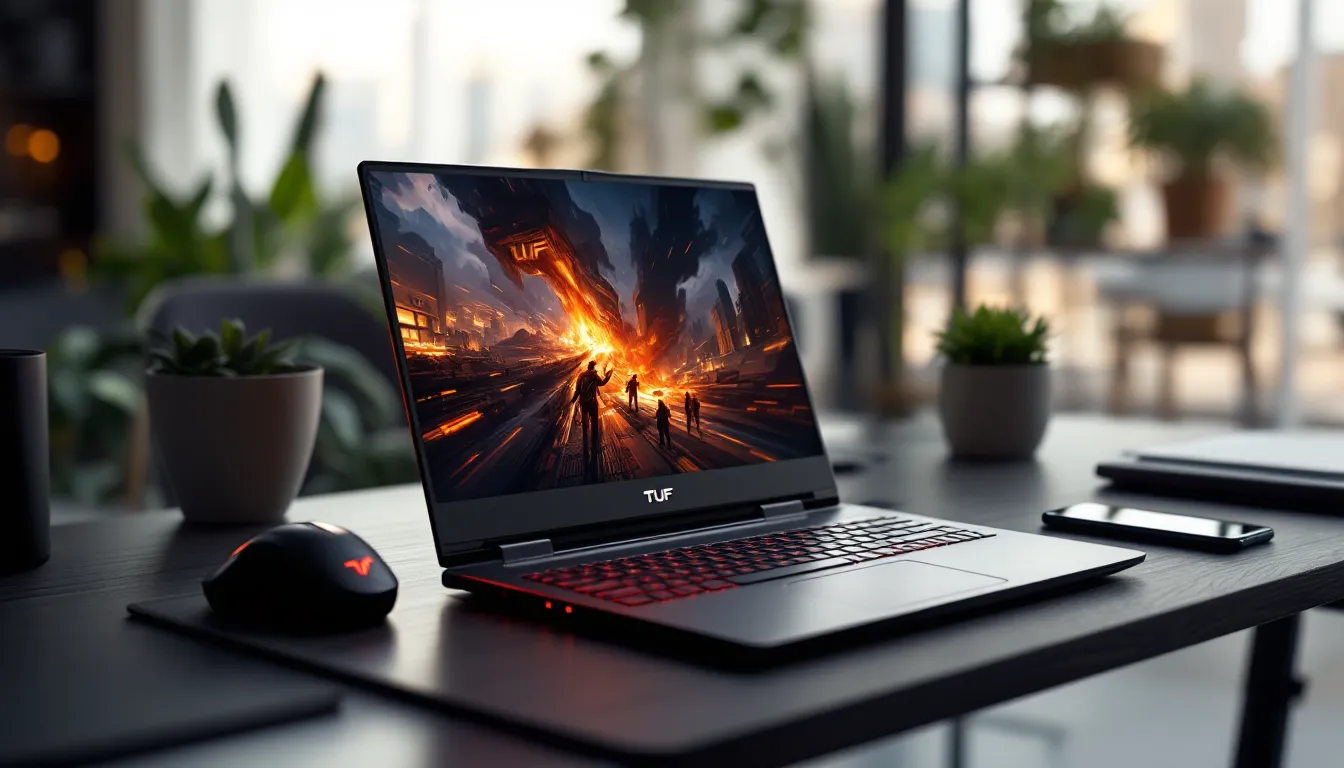
ASUS TUF Gaming F15 FX506HC Review: Is This Budget Battle Station Worth Your Money in 2026?
The ASUS TUF Gaming F15 FX506HC hit the market as a mid-range gaming laptop aimed squarely at players who want solid 1080p performance without emptying their wallets. But here’s the thing, we’re in 2026, and this model from the 2021 lineup is still floating around the used and refurbished market at tempting price points. With an RTX 3050, Intel Core i5-11400H, and a 144Hz display, it’s pitched as an entry-level workhorse for gamers who don’t need bleeding-edge specs.
The question isn’t whether it was good when it launched. It’s whether it still holds up now, especially when competing against newer budget options and previous-gen clearance machines. If you’re hunting for a laptop that can handle modern esports titles, some AAA gaming, and general productivity without breaking four figures, the FX506HC deserves a close look. Let’s tear down the specs, run the benchmarks, and figure out if this TUF machine is still tough enough for 2026.
Key Takeaways
- The ASUS TUF Gaming F15 FX506HC delivers solid 1080p gaming performance with its RTX 3050 GPU and i5-11400H CPU, excelling in esports titles at 100+ FPS on the 144Hz display.
- Military-grade MIL-STD-810H certification makes the ASUS TUF Gaming F15 FX506HC exceptionally durable for rough handling, drop tests, and regular transport to LAN parties or college dorms.
- Upgrading the base 8GB RAM to 16GB and adding a second SSD takes just minutes thanks to easily accessible SO-DIMM slots and M.2 drives, making the laptop future-proof without voiding warranty.
- Thermal management excels with stable 80-85°C CPU temperatures under load and rare throttling, though the 48Wh battery limits unplugged gaming to 1-1.5 hours.
- At refurbished prices of $600-$750 in early 2026, the FX506HC outperforms competing budget laptops like the Acer Nitro 5 and HP Pavilion Gaming 15 in durability and consistent performance.
What Makes the ASUS TUF Gaming F15 FX506HC Stand Out?
The FX506HC occupies an interesting niche. It’s not trying to compete with premium gaming rigs packing RTX 4070s or AMD’s latest Ryzen chips. Instead, ASUS positioned this as a durable, no-nonsense gaming laptop that prioritizes longevity and value over flashy RGB or ultra-thin bezels.
What separates the TUF series from the ROG lineup is simple: it strips away the premium tax while keeping the fundamentals intact. You get military-grade MIL-STD-810H certification, meaning this thing has been drop-tested, vibration-tested, and temperature-cycled to survive rough handling. That’s a real advantage if you’re hauling your laptop to LAN parties, college dorms, or just tossing it in a backpack regularly.
The FX506HC specifically targets 1080p gaming at medium-to-high settings. It’s not chasing 4K or maxed-out ray tracing, it’s built for players who want consistent frame rates in competitive games and playable performance in AAA titles without thermal throttling or compromises in build quality.
Key Specifications at a Glance
Here’s what you’re working with under the hood:
- CPU: Intel Core i5-11400H (6 cores, 12 threads, up to 4.5GHz boost)
- GPU: NVIDIA GeForce RTX 3050 Laptop (4GB GDDR6)
- RAM: 8GB DDR4-3200 (upgradable to 32GB)
- Storage: 512GB PCIe NVMe SSD (expandable)
- Display: 15.6-inch FHD (1920×1080), 144Hz, IPS-level panel
- Battery: 48Wh (3-cell lithium-ion)
- Weight: 2.3 kg (5.07 lbs)
- OS: Windows 10 Home (upgradable to Windows 11)
The base configuration shipped with 8GB of RAM, which is tight for modern gaming. Most users will want to bump that to 16GB minimum. The 512GB SSD is decent for a starter drive, but you’ll burn through that fast if you’re installing Warzone, Elden Ring, and a few live-service games.
One standout feature: the RTX 3050 supports DLSS and ray tracing, even if it’s not powerful enough to run RT at high settings. That future-proofs the laptop slightly, letting you toggle DLSS in supported titles for better frame rates.
Design and Build Quality: Military-Grade Durability Tested
ASUS didn’t go for sleek or sexy with the TUF F15, they went for rugged. The chassis is plastic with a textured finish that resists fingerprints and scratches better than glossy alternatives. It’s not going to turn heads at a coffee shop, but it won’t look like a scuffed mess after six months of use either.
The MIL-STD-810H certification isn’t just marketing fluff. ASUS puts these through drop tests, humidity exposure, vibration simulations, and temperature extremes. That translates to a laptop that can handle being knocked off a desk or stuffed into a bag without babying it.
Chassis Construction and Portability
At 2.3 kg, the FX506HC is on the heavier side for a 15.6-inch laptop, but it’s not a brick. You can carry it in a backpack without shoulder strain, though it’s not exactly ultraportable. The thickness (around 24.9mm) means it won’t slide into slim laptop sleeves, but that bulk houses the cooling system and port selection.
The hinge feels solid, no wobble when you adjust the screen angle. It opens to about 140 degrees, which is enough for most use cases but not ideal if you like laying the laptop flat for collaborative work.
Build quality holds up well. There’s minimal flex in the keyboard deck, and the bottom panel is reinforced. The vent grilles are metal, not plastic, which helps with long-term durability under heat stress.
Keyboard and Trackpad Experience
The keyboard is a full-size layout with a numpad, which is a win for productivity and MMO players who bind abilities to numpad keys. Key travel sits around 1.7mm, decent tactile feedback without being mushy. It’s not mechanical, but it’s responsive enough for fast-paced shooters and MOBAs.
RGB backlighting is single-zone, so you can’t customize per-key colors like you would on a high-end ROG board. You get a handful of preset effects through the Armoury Crate software, which is fine but not exciting. Brightness is adjustable across four levels, and it’s visible in well-lit rooms.
The trackpad is a 4.3-inch precision touchpad. It’s smooth, tracks accurately, and supports Windows gestures without lag. That said, most gamers will plug in a mouse immediately, so this is more about general use and productivity tasks.
Display Performance: How the 144Hz Panel Handles Gaming
The 15.6-inch FHD IPS panel with a 144Hz refresh rate is one of the FX506HC’s best features at this price point. A high refresh rate matters, especially in esports titles where every frame can be the difference between landing a headshot or eating one.
The 1080p resolution is the sweet spot for the RTX 3050. You’re not asking the GPU to push pixels it can’t handle, and you can maintain high frame rates in most competitive games without dropping settings to low.
Color Accuracy and Brightness Levels
This isn’t a content creator’s display. The panel covers roughly 62.5% of sRGB and 47% of Adobe RGB, which means colors look acceptable but not vibrant. If you’re editing photos or video, you’ll notice the limited gamut. For gaming, it’s a non-issue, most players care more about responsiveness than color fidelity.
Brightness peaks around 250 nits, which is passable indoors but struggles in direct sunlight. If you’re gaming outdoors or in a bright room, expect glare and washed-out colors. The anti-glare coating helps, but it’s not a miracle worker.
Viewing angles are solid thanks to the IPS panel. You won’t see color shift or contrast degradation until you’re at extreme angles, which is rare in actual use.
Response Time and Refresh Rate Benefits
ASUS claims a 3ms response time (gray-to-gray), and in practice, motion clarity is clean. You won’t see much ghosting or trailing in fast shooters like Valorant or Apex Legends. The 144Hz refresh rate syncs well with the RTX 3050’s output in esports titles, where you’ll consistently hit 100+ FPS.
Adaptive Sync support (NVIDIA G-SYNC Compatible) eliminates screen tearing when frame rates fluctuate. It’s not full G-SYNC with a dedicated module, but it’s effective enough for smooth gameplay in most scenarios.
One downside: no variable refresh rate toggle in the BIOS, so you’re relying on software control through NVIDIA Control Panel. It works, but it’s less elegant than hardware-level VRR switching.
Gaming Performance: RTX 3050 and Core i5-11400H Benchmark Results
Let’s cut to the chase: the RTX 3050 and Core i5-11400H combo is entry-level for modern gaming in 2026. It’s not going to max out Cyberpunk 2077 or run Starfield at ultra, but it punches above its weight in the right scenarios.
The i5-11400H is a 6-core, 12-thread chip from Intel’s 11th-gen Tiger Lake-H lineup. It’s showing its age compared to 12th-gen Alder Lake or AMD’s Ryzen 6000/7000 series, but it still handles most games without CPU bottlenecking, at least at 1080p.
AAA Gaming Performance at 1080p
AAA titles from 2020-2023 run decently at medium-to-high settings. Here’s what you can expect:
- Elden Ring: 50-60 FPS on high settings, occasional dips in particle-heavy boss fights
- God of War (2022): 45-55 FPS on medium-high, playable but not buttery smooth
- Forza Horizon 5: 60-70 FPS on high settings, solid racing experience
- Cyberpunk 2077: 30-40 FPS on medium without DLSS, jumps to 50-55 FPS with DLSS Performance mode
The 4GB VRAM on the RTX 3050 is the bottleneck here. Newer AAA games are hungry for VRAM, and you’ll hit texture streaming issues if you crank settings too high. Stick to medium textures and you’ll avoid most hitching.
For older AAA titles (2018-2020), you can max settings and maintain 60+ FPS. The Witcher 3, Red Dead Redemption 2 at optimized settings, and Doom Eternal all run smoothly.
Esports Titles and Competitive Gaming
This is where the FX506HC shines. Esports games are optimized for high frame rates, and the 144Hz panel lets you take full advantage:
- Valorant: 150-200 FPS on high settings, drops to 120-140 in smokes or ult-heavy rounds
- CS2 (Counter-Strike 2): 100-130 FPS on medium-high, competitive players will want to dial down effects for consistent 144+ FPS
- League of Legends: 180+ FPS maxed out, no issues
- Apex Legends: 80-100 FPS on high, 110-130 FPS on medium settings
- Fortnite: 90-120 FPS on competitive settings (low shadows, medium textures)
The CPU keeps up in these scenarios. The i5-11400H doesn’t throttle during sustained gameplay, and 1% lows stay respectable. Input lag is minimal, which matters for flick shots and quick reactions.
Ray Tracing and DLSS Capabilities
Ray tracing on an RTX 3050 is… optimistic. You can enable it in supported games, but expect frame rates to tank. Minecraft RTX runs at 40-50 FPS with DLSS Performance mode, which is playable but not ideal. Control with RT on medium drops to 30-35 FPS, even with DLSS.
DLSS is the real MVP here. In titles like Cyberpunk 2077, Spider-Man Remastered, and God of War, toggling DLSS Quality or Performance mode can net you a 20-30% FPS boost. It’s not a magic bullet, image quality takes a hit at Performance mode, but it makes the difference between playable and choppy.
If you’re buying this laptop in 2026, don’t expect ray tracing to be a selling point. Treat DLSS as a framerate lifeline for demanding games, and you’ll be happier.
Thermal Management and Cooling System Analysis
ASUS equipped the FX506HC with a dual-fan cooling system and anti-dust tunnels designed to push debris out of the chassis. It’s not the most advanced thermal solution, no vapor chamber or liquid metal here, but it’s effective for the hardware.
The cooling setup uses two 83-blade fans and a quad-exhaust design (two rear vents, two side vents). Heat pipes connect the CPU and GPU to shared heatsinks, which is standard for this tier of laptop.
Temperature Performance Under Load
Under sustained gaming load (1-hour stress test in demanding titles), temperatures stabilize around:
- CPU: 80-85°C, peaking at 90°C during cinematic sequences or loading screens
- GPU: 75-80°C, consistent across most titles
These are safe operating temps. The i5-11400H has a max junction temperature of 100°C, and the RTX 3050 can handle up to 93°C before thermal throttling kicks in. You’re not pushing thermal limits here, which is a good sign for long-term reliability.
Surface temperatures tell a different story. The keyboard deck stays cool around WASD, but the top row (near F1-F12) gets noticeably warm, around 40-42°C. The bottom panel can hit 50°C near the vents, so this isn’t a lap-friendly gaming laptop. Use a desk or cooling pad for extended sessions.
Fan Noise and Thermal Throttling
Fan noise is the trade-off for decent thermals. Under load, the fans ramp up to around 47-50 dB, which is loud enough to hear over in-game audio unless you’re wearing headphones. It’s not jet-engine levels, but it’s noticeable.
ASUS Armoury Crate offers three performance modes:
- Silent: Caps fan speed and power limits, keeps noise under 40 dB but reduces performance by 10-15%
- Performance: Balanced mode, default setting for most gaming
- Turbo: Unlocks full power limits and max fan speed, loudest but prevents throttling
Thermal throttling is rare. The FX506HC maintains boost clocks well, and frame rates stay consistent over long sessions. If you’re running Turbo mode in a well-ventilated area, you won’t see performance drops even after hours of gameplay.
Battery Life and Power Efficiency for On-the-Go Gaming
The 48Wh battery is small for a gaming laptop, and it shows. This isn’t a machine you’ll game on unplugged, battery life is strictly for light productivity and media consumption.
With the power plan set to balanced, screen brightness at 50%, and Wi-Fi enabled, you’ll get:
- Web browsing / productivity: 4-5 hours
- 1080p video playback: 3.5-4 hours
- Light gaming (esports titles on low settings): 1-1.5 hours before the low-battery warning
Once you fire up a demanding game, battery drain accelerates. The RTX 3050 and i5-11400H pull significant wattage under load, and the 48Wh cell can’t sustain that for long. Plan on staying plugged in for any serious gaming session.
The 200W power brick is chunky but necessary. Fast charging isn’t officially supported, but you can get from 0% to 60% in about 45 minutes if the laptop is off or in sleep mode.
For on-the-go use, this laptop works fine for classes, browsing, or coding. Just don’t expect to unplug and frag out in Apex Legends during a layover, you’ll need an outlet nearby.
Connectivity and Ports: What You Need to Know
Port selection on the FX506HC is solid for a budget gaming laptop. ASUS spread the I/O across both sides and the rear, which keeps cable clutter manageable.
Left side:
- 1x USB 3.2 Gen 1 Type-A
- 1x 3.5mm combo audio jack
Right side:
- 2x USB 3.2 Gen 1 Type-A
Rear:
- 1x USB 3.2 Gen 2 Type-C (DisplayPort 1.4, no Power Delivery)
- 1x HDMI 2.0b
- 1x Gigabit Ethernet (RJ-45)
- 1x DC power jack
The USB-C port supports DisplayPort Alt Mode, so you can connect an external monitor without adapters. No Thunderbolt 4, which isn’t surprising for an 11th-gen Intel H-series chip, that feature was reserved for higher-end models.
Wireless connectivity includes Wi-Fi 6 (802.11ax) and Bluetooth 5.2, both of which are current standards. Wi-Fi 6 delivers lower latency and better performance in congested networks, which helps in online gaming and streaming.
The Ethernet port is a blessing for competitive players who want wired stability. Many gaming laptops reviewed by laptop experts skip RJ-45 in favor of dongles, so having it built-in is a practical advantage.
One missing feature: no SD card reader. If you’re a content creator or photographer, you’ll need an external reader. For gamers, it’s not a dealbreaker.
Audio Quality and Immersive Sound Experience
The FX506HC ships with dual speakers tuned by DTS:X Ultra. They’re bottom-firing, positioned near the front edge of the chassis.
Audio quality is… acceptable. You get decent volume, enough to fill a small room without distortion at max level. Mids and highs are clear for dialogue and in-game callouts, but bass is almost nonexistent. Explosions, gunshots, and music lack punch.
DTS:X Ultra software offers virtual surround sound profiles for gaming, movies, and music. The gaming preset widens the soundstage slightly, which helps with directional audio in shooters. It’s not true surround, you won’t pinpoint footsteps as accurately as with a headset, but it’s better than raw stereo.
For single-player games and casual listening, the speakers work. For competitive gaming or immersive experiences, plug in headphones. The 3.5mm jack delivers clean audio with no noticeable hiss or interference, and it supports most gaming headsets without needing an external DAC.
The built-in mic array (dual-array microphone setup) is serviceable for Discord calls or emergency Zoom meetings. It picks up voice clearly in quiet environments but struggles with background noise. If you’re streaming or taking online classes seriously, grab a dedicated mic.
Upgradability: RAM and Storage Expansion Options
One of the FX506HC’s strongest points is how easy it is to upgrade. ASUS didn’t solder the RAM or lock down the storage slots, which is refreshing in an era of sealed ultrabooks.
Popping the bottom panel requires removing 11 Phillips-head screws. Once inside, you get access to:
- 2x SO-DIMM slots for RAM (DDR4-3200, up to 32GB total)
- 2x M.2 2280 NVMe slots for storage (PCIe 3.0 x4)
The base 8GB configuration uses a single 8GB stick, leaving one slot open. Adding another 8GB stick (or swapping both for 2x16GB) is a straightforward upgrade that’ll cost you $30-$80 depending on market prices in 2026. Dual-channel RAM makes a measurable difference in gaming, expect 5-10% FPS gains in CPU-bound scenarios.
The second M.2 slot is typically empty, so you can drop in an additional SSD without sacrificing the factory drive. Whether you’re adding a 1TB drive for your Steam library or a fast 2TB NVMe for content creation, the flexibility is there.
One heads-up: ASUS doesn’t include an extra mounting screw or standoff for the second SSD in all regions. You might need to source a generic M.2 screw if it’s missing. It’s a minor hassle, but worth knowing before you order parts.
Upgrading doesn’t void the warranty as long as you don’t damage components during installation. That’s a pro-consumer move compared to brands that seal everything and charge premiums for factory upgrades.
Who Should Buy the ASUS TUF Gaming F15 FX506HC?
The FX506HC isn’t the flashiest gaming laptop in 2026, and it’s not packing the latest silicon. But it fills a specific role: a durable, upgradable, 1080p gaming machine that won’t cost as much as a high-end GPU.
If you’re hunting for a laptop that can handle esports titles at high frame rates, run AAA games at playable settings, and survive a few years of heavy use, this checks those boxes. It’s especially appealing in the refurbished or open-box market, where you can snag one for significantly less than original MSRP.
Best Use Cases for This Laptop
College students who need a laptop for both coursework and gaming will appreciate the balance. It’s not ultraportable, but it fits in a backpack and handles productivity tasks without lag. The numpad is a bonus for STEM majors running spreadsheets or CAD software.
Esports players on a budget get a 144Hz display and enough GPU muscle to maintain high frame rates in Valorant, CS2, League, and similar titles. Pair it with a good mouse and headset, and you’ve got a competitive setup without dropping $1,500+.
Casual gamers who play older AAA games, indie titles, and live-service games (Fortnite, Destiny 2, Warframe) will find the FX506HC more than capable. It won’t run everything at ultra, but medium-high settings at 60 FPS is achievable in most cases.
Content creators on a tight budget can use this for video editing, 3D modeling, and photo work, though the limited color gamut and 8GB base RAM mean you’ll want to upgrade and use an external monitor for color-critical work.
Comparison with Competing Budget Gaming Laptops
How does the FX506HC stack up against other budget gaming laptops in the same performance tier?
Acer Nitro 5 (AN515-57): Similar specs (RTX 3050, i5-11400H), but the Nitro 5 often ships with 16GB RAM out of the box. Build quality feels cheaper, more flex in the chassis, louder fans. The TUF F15 wins on durability and thermals.
Lenovo IdeaPad Gaming 3: Usually priced slightly lower, with AMD Ryzen 5 5600H and RTX 3050. CPU performance is comparable, but the IdeaPad’s display is limited to 120Hz, and build quality is a step down. The TUF F15’s 144Hz panel and MIL-STD certification make it a better long-term pick.
HP Pavilion Gaming 15: Another RTX 3050 option, often with better color accuracy (around 72% NTSC). The Pavilion is lighter and has a sleeker design, but thermal performance is weaker, expect higher temps and more throttling. When testing gaming laptop thermals, the TUF F15 consistently outperforms the Pavilion under sustained load.
MSI GF65 Thin: Cheaper, lighter, and packs an RTX 3060 in some configs. The catch? Thermals are rough, and build quality is plasticky. The GF65 throttles hard under load, and the keyboard feels mushy. The TUF F15 sacrifices thinness for better cooling and a sturdier chassis.
If you’re cross-shopping and prioritize durability and thermals, the TUF F15 FX506HC is the pick. If you want better RAM out of the box or a lighter design, consider the Nitro 5 or Pavilion. For raw GPU power on a budget, the MSI GF65 with an RTX 3060 is tempting, but you’re trading off longevity and cooling.
According to testing by publications like Tom’s Guide, the FX506HC’s balanced approach to cooling and performance makes it one of the more reliable options in the sub-$900 refurbished market as of early 2026.
Conclusion
The ASUS TUF Gaming F15 FX506HC isn’t chasing headlines in 2026, but it doesn’t need to. It’s a workhorse laptop that delivers consistent 1080p gaming, survives rough handling, and leaves room for upgrades without asking you to remortgage your house.
The RTX 3050 and Core i5-11400H combo won’t win benchmarking contests against newer hardware, but they’re more than capable for esports titles and most AAA games at medium settings. The 144Hz display is a genuine advantage at this price point, and the thermal management keeps performance stable over long sessions.
Weaknesses are real: the 48Wh battery won’t last unplugged, the display’s color gamut is limited, and 8GB of base RAM feels stingy in 2026. But these are fixable issues, upgrade the RAM, keep the charger handy, and use an external monitor for color work if needed.
If you can find a refurbished or open-box FX506HC for $600-$750, it’s a solid buy. At that price, you’re getting a durable gaming laptop with a high-refresh display and upgrade flexibility that’ll last you through a few more years of gaming. Just don’t expect miracles, this is a budget battle station, not a flagship. It knows what it is, and it does that job well.